Today in Edworking News we want to talk about Flipdiscs (or flip dots) are a display type that utilizes electromagnetic pulses to flip a small disc between two colors. Despite being invented over 80 years ago, the underlying technology is mostly the same today. I chose them because I wanted to design a large interactive wall art for my office and didn’t like the LED glow of traditional screens. Flip displays are an interesting alternative. They have no moving parts, near limitless lifespan, high readability, and achieve anywhere between 25-60fps. Also, as a pleasant bonus, they emit a sound like rain hitting a window each time one of the discs flips—I find it very soothing. I’ve always wanted unique ways to visualize code, like this pixel knitting app we designed for electroknit knitting machines or this crafting tool for Atom Editor (RIP). Flipdots seemed like a similar fun challenge. I paired with my partner to help code and design the board. Who doesn’t love quality hacking time with their partner?! I’m not sure how many people will find this useful since flipdisc displays are an obscure technology, but here we go!
 Build Panels
We utilized 9 Alfazeta panels in a 3x3 grid, each panel containing (2) 28x7 arrays for a total of 84x42 discs. Each panel's PCB featured an ATMEGA128 microcontroller, numerous MELF diodes, and two DIP switches—one for setting addresses and the other for baud rate. Finding these components can be challenging, and one might consider designing a custom board for better modularity and possibly custom disc colors if doing a similar project.
Power
Powering the Board required 24V 1A per board (or 9A overall), and we used a 24V 10A Meanwell power supply. This power setup ensures that the discs flip efficiently and consistently.
Frame
The frame was constructed using 80/20 aluminum extrusions, with PCB standoffs directly screwed onto it. Handling the fragile discs with care is vital—as they can easily break or pop off during assembly.
Cabling
We connected each column in series, and the data lines were managed via an RS485 block terminal. Using 18AWG wire for power lines and 22 AWG shielded cables for data, we needed high framerates and multiple USB RS485 devices for better communication and processing.
Processing
For processing, we employed machine learning to handle voice, video, and images, making more power necessary than a basic single-board computer or microcontroller. We chose an Nvidia Orin Nano but noted a Raspberry Pi could work with some performance trade-offs. For our cameras and audio interfaces, we used an IMX708 camera and Waveshare audio board.
Software
Board communication operates over RS485, starting each frame with a start byte [0x80], followed by either flush [0x83] or buffer [0x84], then the board's address, image data, and a closing byte [0x8F]. The image data uses RLE for compression. We created a Node.js library for handling flipdisc screens, accepting data directly from a canvas instance using `ctx.getImageData()`.
Interface
For a reliable and easy-to-use interface, we developed an expo app for controlling the display. The app allows users to pause, start, skip, and configure scenes. Users can also freehand draw directly on the screen.
Design
The flipdisc display design mechanics felt similar to those used in retro gaming designs. All text and visuals were optimized using pixel fonts and dithering techniques. For images, we employed a mix of Floyd-Steinberg and Bayer dithering. Below is an example of the different dithering techniques applied to images.
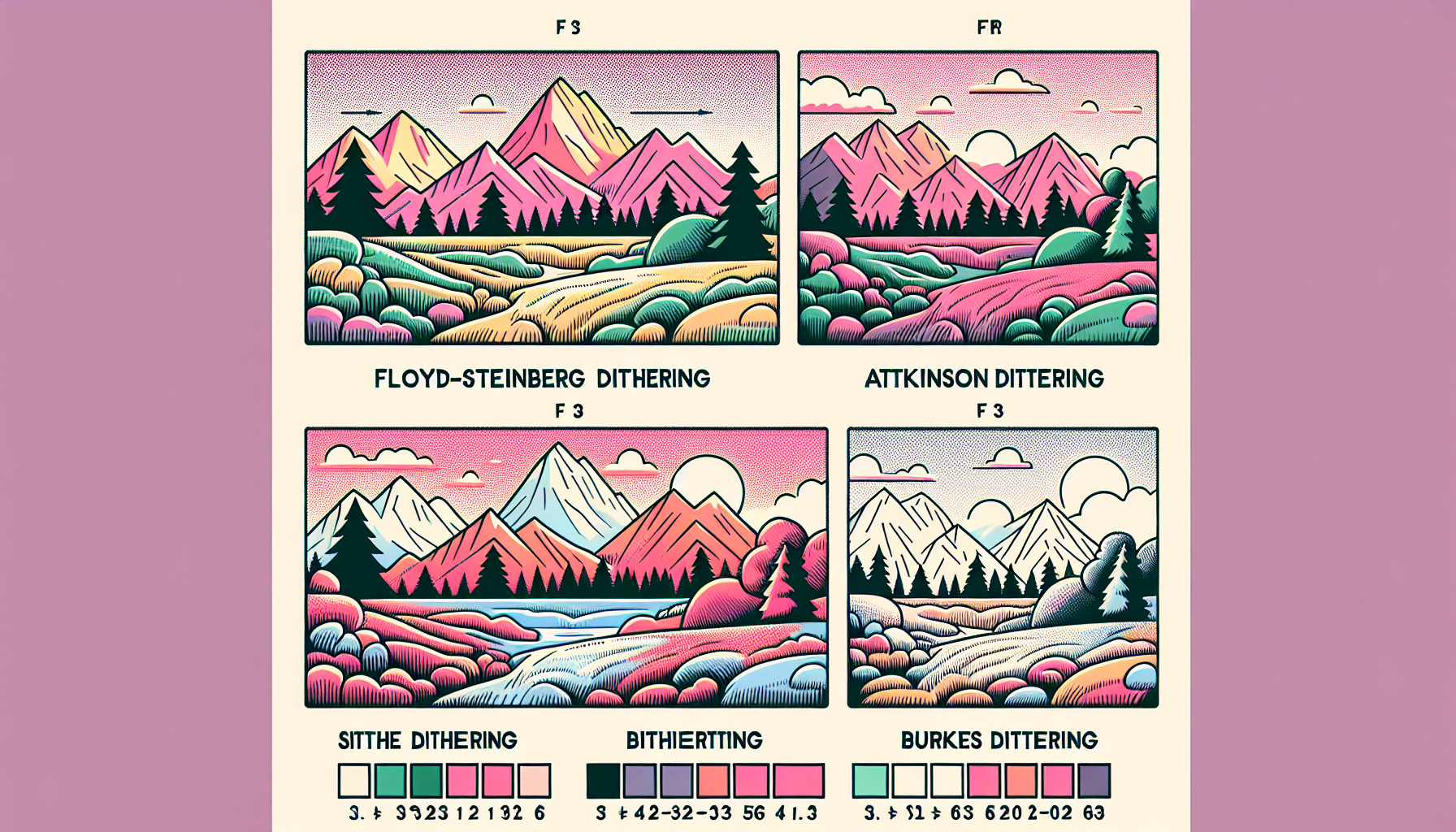
Image: Comparison of Floyd-Steinberg vs. Bayer dithering techniques.
Next Steps: AI Wall
The goal is to develop a transparent AI interface leveraging multi-modal I/O. Upcoming model releases will guide these developments.
Conclusion
Collaborating on this project was immensely enjoyable, and I hope that flipdiscs become more popular and accessible. If you’re interested or have questions about building your own flipdisc display, feel free to reach out.
Remember these 3 key ideas for your startup:
- Innovative Displays: Flipdiscs offer a unique alternative to traditional screens, offering high readability and durability without the intense glow of LEDs. This is particularly beneficial for creating visually engaging but non-distracting office environments.
- Processing Power: Leveraging machine learning and flexible processing units like the Nvidia Orin Nano can bring sophisticated real-time visualizations and interactions to life. Aim for high processing capabilities to ensure real-time feedback and robust functionality.
- Intuitive User Interface: Developing easy-to-use apps with clear interfaces ensures that your team can make the most of new technologies. A well-designed app supporting your system can boost productivity and engagement significantly.
Edworking, the best productivity solution for SMEs and startups, is a FREE superapp that includes all necessary tools for work, powered by AI. Save money today by not paying for Slack, Trello, Dropbox, Zoom, and Notion.
For more details, see the original source.