
 Descargar App Móvil


Un poco de contexto. Un borrador mejor.
Generador de conclusiones con IA
Escribe conclusiones claras para ensayos, reportes de equipo y resúmenes de proyecto en segundos. El Generador de conclusiones de Edworking analiza tu borrador, extrae decisiones y próximos pasos, y deja el cierre listo para revisar en Docs y aprobar con Tasks.
02Tu borrador
Tu próximo borrador empieza aquí
Añade tus indicaciones o elige un ejemplo. El texto generado aparecerá aquí para revisarlo, copiarlo o descargarlo.
Los borradores de IA necesitan tu criterio. Revisa los datos, el significado y su idoneidad antes de usarlos.
Revisa antes de usarlo
- Comprueba que el texto original respalda cada afirmación.
- Expresa la tesis y el hallazgo principal sin repetir la introducción.
- Revisa nombres, cifras y tono antes de publicar.
Cómo funciona
Unas buenas indicaciones marcan la diferencia
Un resultado útil empieza con algo de contexto. Sigue estos tres pasos y adapta el resultado a tu estilo.
Abrir la herramienta01Aporta contexto
Añade el material de origen, el tema o el objetivo. Incluye los detalles que deben conservarse.
02Da forma al resultado
Elige los ajustes para tu audiencia. Empieza con un ejemplo si necesitas orientación.
03Revisa y continúa
Comprueba el resultado, cópialo o descárgalo y llévalo a tu próximo documento o proyecto.
Generador de conclusiones con IA
Elige Qué Poner en Práctica
Selecciona los puntos que encajan con tu idea o proyecto. Crearemos un Espacio con esas tareas para que pongas esta página en práctica.
- 01Elige las tareas que te interesan.
- 02Crea un Espacio con las tareas seleccionadas.
- 03Añade responsables, fechas y detalles en Edworking.
0 tareas seleccionadas
Selecciona al menos una tarea para crear tu Espacio.
De una idea al trabajo compartido
Crea algo. Después, hazlo realidad.
Un borrador o una imagen son solo el principio. Descubre cómo Docs, Archivos y Tareas reúnen los próximos pasos en Edworking.
Lleva un borrador a un documento compartido. Edita el texto y mantén la conversación junto al trabajo.
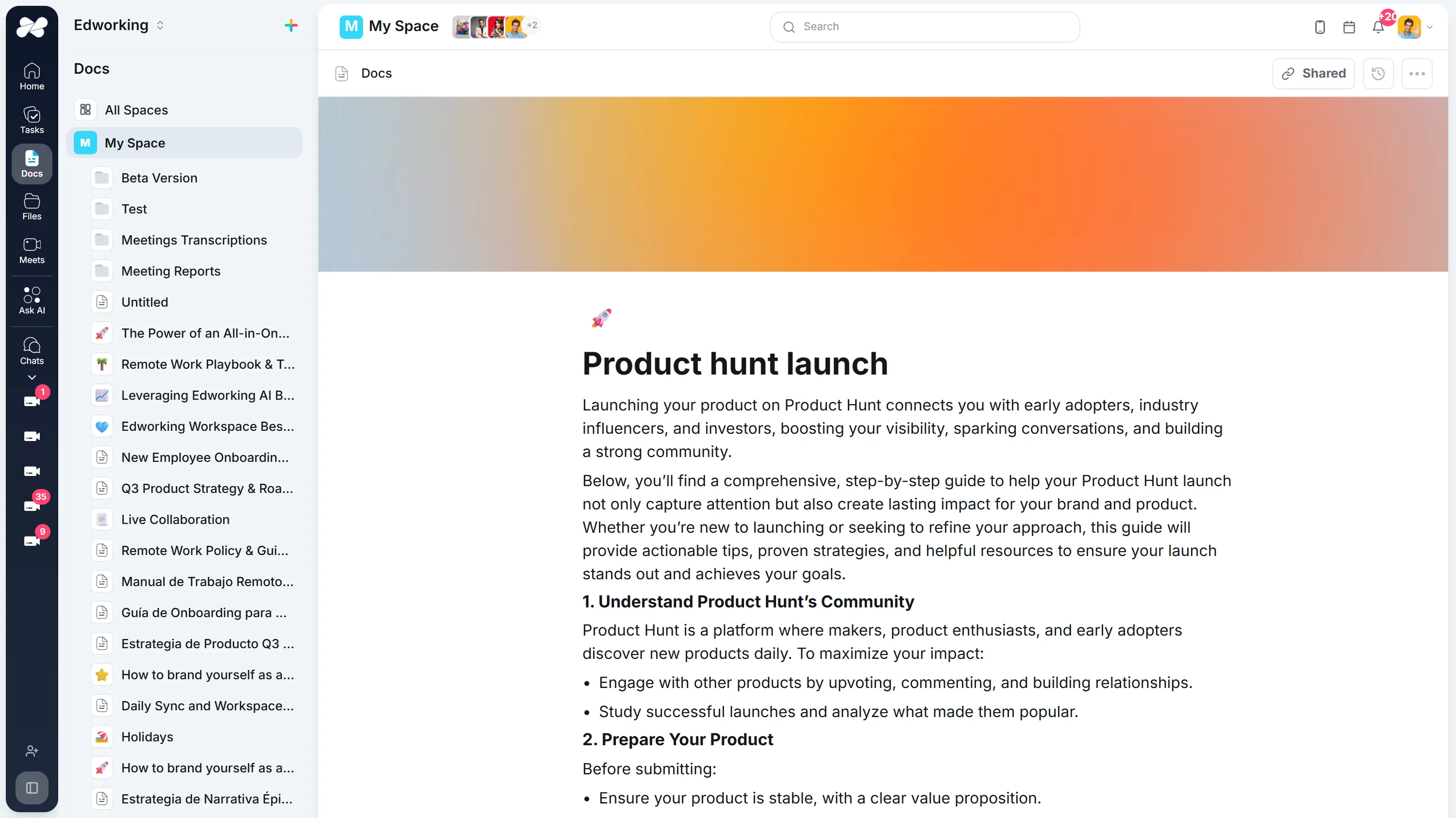
Abre la demo interactiva completa con un espacio de trabajo de ejemplo en inglés. Los resultados generados no se guardan automáticamente en la demo.
SIGUE EXPLORANDO
Herramientas Similares
Un próximo paso útil para mejorar un borrador, planificar el trabajo o conocer mejor a tu equipo.
Generador de introducciones con IA
Genera introducciones claras para trabajos, informes y propuestas. Revisa el borrador en Edworking Docs y asigna aprobaciones con Tasks.
Abrir herramientaReescritor de Párrafos
Revitaliza tus párrafos con nuestro Reescritor de Párrafos. Perfecto para refrescar contenido, mejorar la legibilidad y asegurar la unicidad en tu escritura.
Abrir herramientaHerramienta de Paráfrasis
Renueva tu texto para originalidad y expresión mejorada con nuestra Herramienta de Paráfrasis. Perfecta para escritura académica, creación de contenido y evitar el plagio.
Abrir herramientaHerramienta de Reformulación
Mejora la calidad y unicidad de tu escritura con nuestra Herramienta de Reformulación avanzada. Ideal para refinar contenido, mejorar la legibilidad y evitar el plagio.
Abrir herramientaGenerador de Resúmenes de Libros
Descubre las ideas clave de cualquier libro al instante con nuestro Generador de Resúmenes con IA. Ahorra tiempo y mejora tu comprensión.
Abrir herramientaReescritor de Frases
Reformula automáticamente frases para mejorar la claridad, estilo y unicidad. Ideal para refinar artículos, ensayos y cualquier texto que necesite un toque de perfección.
Abrir herramienta