Download Mobile App
A risk register template helps a project team turn vague worries into visible, owned, reviewable work. Instead of keeping risks in meeting notes or private messages, the team keeps one shared record of what might go wrong, how serious it is, who owns the response, and what should happen next.
This guide shows how to build a practical risk register for small teams, remote teams, founders, and project managers who need clarity without creating heavy project paperwork. You will get the fields to include, examples, a checklist, mistakes to avoid, and a simple way to connect risk tracking to everyday tasks and communication.
Quick takeaway: A useful risk register is not just a list of problems. It is a living workflow for risk ownership, mitigation tasks, review cadence, and escalation.
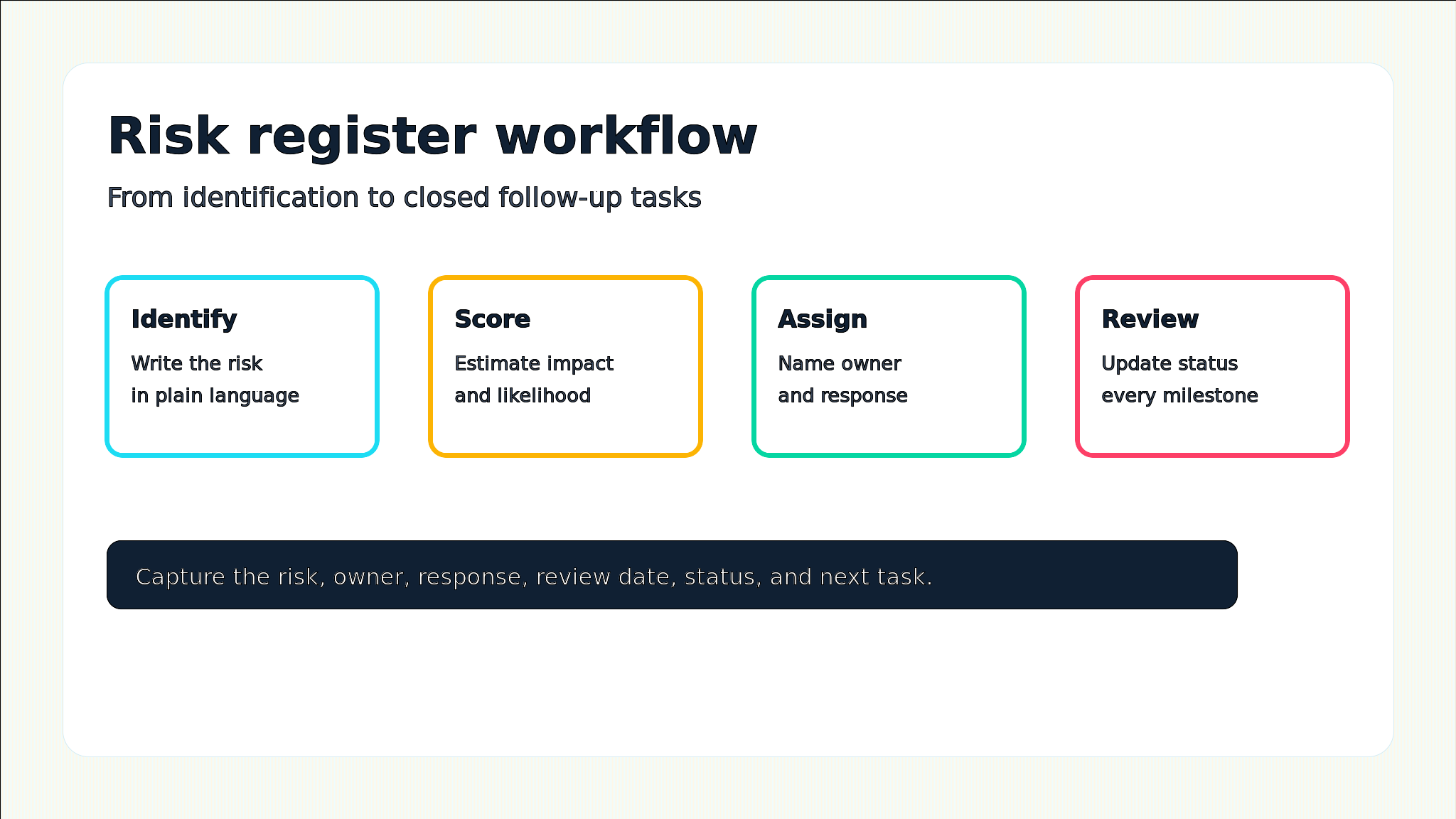
 What a risk register template should actually do
A project health check checklist can help teams spot which risks, blockers, and communication gaps need a mitigation task first.
The best risk registers make uncertainty easier to manage. They do not remove risk, but they help the team see which risks deserve attention now, which ones can be monitored, and which ones need a clear mitigation task before they threaten delivery.
- Create one shared source of truth for project risks, assumptions, blockers, and mitigation plans.
- Show risk severity with simple impact, likelihood, and priority labels that the whole team understands.
- Assign an accountable owner so every important risk has someone watching it.
- Connect mitigation plans to real tasks, decision records, files, and stakeholder updates.
- Give sponsors and delivery leads a consistent view during project reviews.
If your team already uses a scoring method, pair this guide with Edworking’s risk matrix tool so you can estimate priority before adding mitigation tasks.
Decision rule: If a risk has no owner or next review date, it is only a note. Add ownership before calling the register complete.
Core fields to include in your risk register
A simple register is usually better than a complicated one. Start with fields that help people decide what to do next. You can add more later if the project becomes regulated, high-budget, or dependent on many outside teams.
- Risk ID: a short reference so people can discuss the risk without rewriting the whole description.
- Risk description: one plain-language sentence explaining what could happen.
- Category: delivery, budget, scope, stakeholder, compliance, technical, vendor, or customer risk.
- Impact and likelihood: simple labels such as low, medium, and high.
- Priority: the combined urgency after impact and likelihood are considered.
- Owner: the person responsible for monitoring and coordinating the response.
- Mitigation action: the task, decision, or change that reduces probability or impact.
- Contingency plan: what the team will do if the risk happens anyway.
- Status and review date: open, watching, mitigated, closed, or escalated, with a date for the next check.
For complex projects, connect the register to a project dependency map template so risks tied to cross-team handoffs are easier to spot.
Structured comparison: risk register vs risk matrix
Teams often confuse the register with the matrix. They work best together, but they solve different problems. A risk matrix helps you score severity; a risk register helps you track ownership, responses, status, and follow-through over time.
- Risk matrix: best for quickly comparing impact and likelihood across risks before deciding priority.
- Risk register: best for keeping a durable record of risk descriptions, owners, mitigation actions, status, and review dates.
- Issue log: best for problems that have already happened and now require resolution.
- Decision log: best for recording the choices made because of a risk or issue.
Mistake to avoid: Do not use a risk matrix as the only risk record. Without owners, actions, and review dates, high-risk items can still disappear after the meeting.
Step-by-step: build a risk register in 30 minutes
You can create a first version quickly during kickoff or a project reset. Invite the project owner, delivery lead, and anyone who understands dependencies, customer expectations, or technical constraints.
- List the top risks in plain language. Start with delivery, scope, budget, stakeholder, vendor, and technical uncertainty.
- Score each risk with simple impact and likelihood labels. Use the same labels across the team.
- Pick the top five risks that deserve immediate ownership or monitoring.
- Assign one owner to each high-priority risk and agree on the next review date.
- Write one mitigation action that can become a real task, not a vague intention.
- Add a contingency plan for risks that cannot be fully prevented.
- Review the register weekly or at each milestone, then close or downgrade stale items.
If stakeholders need regular visibility, summarize the highest risks inside your project status report template rather than sending a separate risk update.

Practical example: remote product launch risk register
Imagine a remote startup preparing a product launch. The team depends on engineering, marketing, support, and a beta customer group. The risks are not abstract: a delayed API integration, unclear launch messaging, missing support documentation, and a customer approval that could arrive late.
Example: The project owner records each risk, assigns an owner, links mitigation work to tasks, and reviews the top risks during the weekly launch check-in. When the customer approval slips, the contingency plan is already visible.
- Risk: API integration may miss the release candidate date. Owner: engineering lead. Mitigation: split the integration into must-have and nice-to-have tasks.
- Risk: launch messaging may change after customer feedback. Owner: marketing lead. Mitigation: keep messaging decisions in a shared doc and freeze copy by a set date.
- Risk: support team may not have answers ready. Owner: support lead. Mitigation: create an FAQ doc linked to launch tasks and review it before beta emails go out.
- Risk: founder approval may arrive late. Owner: product lead. Mitigation: schedule a decision review and define what can ship without new approval.
For decisions that change scope or timing, keep a separate decision log template so the team remembers why the response changed.
Risk register checklist before kickoff
Use this checklist before the project moves into delivery. These are saved as real bullet blocks rather than raw checkbox markdown so the Sanity draft stays clean.
- Confirm every high-priority risk has one named owner.
- Confirm each risk has an impact, likelihood, priority, status, and next review date.
- Confirm mitigation actions are linked to tasks or owners, not written as vague notes.
- Confirm contingency plans exist for risks that cannot be prevented.
- Confirm sponsor updates include only the risks that need awareness or decisions.
- Confirm stale risks are closed, downgraded, or rewritten after each milestone review.
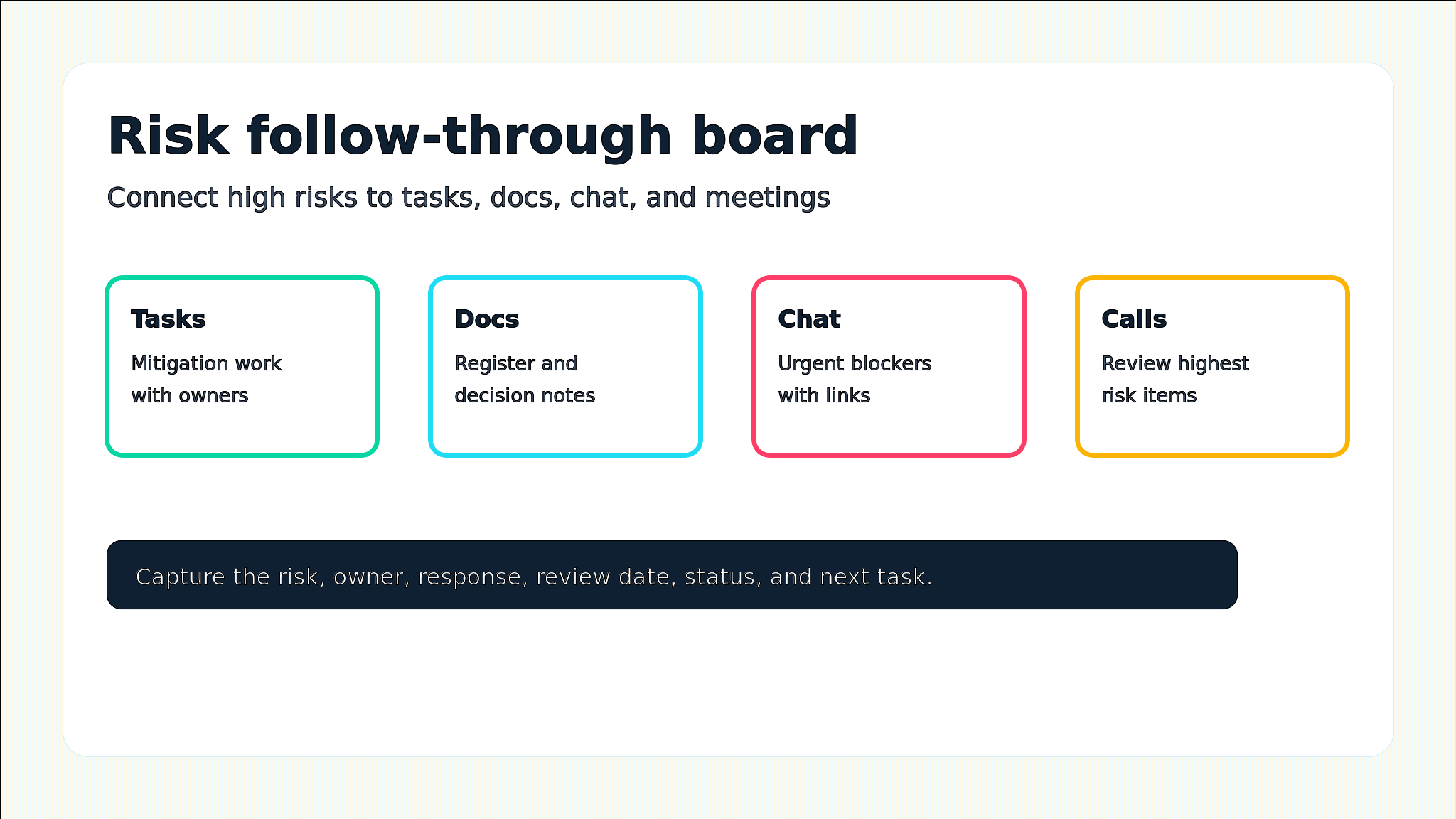
Edworking tip: In Edworking, keep the risk register in Docs, connect mitigation actions to Tasks, discuss urgent changes in Chat, and use Video Calls only for risks that need fast alignment.
Common mistakes and better alternatives
A register can look complete while still failing the team. Watch for these patterns, especially when people are spread across locations and tools.
- Mistake: every possible concern is added. Better approach: separate low-value worries from risks that can affect scope, time, budget, quality, or customer trust.
- Mistake: risks are reviewed only at kickoff. Better approach: review high-priority risks weekly and before each milestone.
- Mistake: owners are teams instead of people. Better approach: assign one accountable owner, even if several people help.
- Mistake: mitigation actions are not connected to work. Better approach: turn important responses into tasks with due dates and owners.
- Mistake: the register hides from stakeholders. Better approach: surface only decision-worthy risks in sponsor updates.
A clear project communication plan helps define which risks go to sponsors, delivery teams, chat alerts, or meeting reviews.
How Edworking keeps risk tracking actionable
Risk tracking breaks when the register lives in one place and the work happens somewhere else. A spreadsheet might list a mitigation action, but the actual task, discussion, file, decision, and meeting note can drift into different tools. That makes it hard to know whether the risk is being handled.
- Docs hold the register, risk definitions, decision notes, and milestone review summaries.
- Tasks turn mitigation actions into assigned, dated work.
- Files keep supporting evidence, requirements, contracts, or customer notes connected to the project.
- Chat handles urgent risk updates while linking back to the task or doc.
- Video calls give the team a fast place to align on high-severity risks, with follow-up captured afterward.
For teams setting up their workspace, start with Getting Started With Edworking and create a project area where risks, tasks, docs, chat, files, and meetings stay connected.
FAQs
- Use the register for future uncertainty and an issue log for active problems.
- Cadence matters less than ownership and follow-through.
- Separate register maintenance from individual risk ownership.
- Keep the first version simple, then add fields only when they improve decisions.
Turn risk tracking into follow-through
- Keep the final register focused on three signals: active risks, assigned mitigation tasks, and closed risks with a clear reason.
When to review and close risks
A register becomes easier to trust when the team knows when risks are updated and when they disappear from the active list. Do not leave every old risk open forever. Closing, downgrading, or rewriting stale risks keeps attention on the items that can still change the outcome.
- Review high-priority risks during weekly project check-ins or before major milestone decisions.
- Downgrade risks when impact or likelihood has clearly reduced and the mitigation work is complete.
- Close risks when the event can no longer happen, the project phase has passed, or the response has fully resolved the exposure.
- Escalate risks when the owner cannot reduce the exposure without a sponsor decision, scope change, budget change, or deadline trade-off.
Review rule: if a risk has not changed for two review cycles, either close it, downgrade it, or rewrite it with a clearer trigger.
Review cadence should match project speed. A two-week launch may need daily risk checks, while a slower internal project may only need milestone reviews. The important part is that every high-priority risk has a next review date and a clear reason to stay open.
Cadence tip: match risk reviews to the pace of delivery, then make the next review date visible in the register.
A risk register template is useful when it changes behavior. It should help the team decide what to watch, what to do, who owns the response, and when to review progress. If it becomes a static spreadsheet, simplify it and connect it to the work.
Start with a short register, score the most important risks, assign owners, and turn mitigation into tasks. Then review the register at the same rhythm as the project. That is how risk tracking becomes part of delivery instead of another document no one opens.
Next step: Create the register in the same workspace where your team manages project tasks, docs, files, chat, and meetings, so risk responses stay visible until they are closed.
For a lightweight external reference on risk management practices, see the Project Management Institute risk management overview.