Download Mobile App
A team knowledge base is supposed to save time, but many small teams accidentally build the opposite: a folder full of stale pages, repeated notes, and “where is that doc?” messages. The problem is rarely motivation. It is usually the absence of a simple operating system for what gets documented, who owns it, and how knowledge stays connected to daily work.
This guide explains team knowledge base best practices for startups, remote teams, and small companies that need useful documentation without creating a heavy wiki program. The goal is not to document everything. The goal is to capture decisions, processes, examples, and answers that help people do the next piece of work with less waiting.
Quick takeaway: A strong team knowledge base is not just a library. It is a workflow that turns repeated questions into reusable answers, links those answers to tasks and files, and assigns ownership so the content stays trustworthy.
 Start with repeated questions, not blank pages
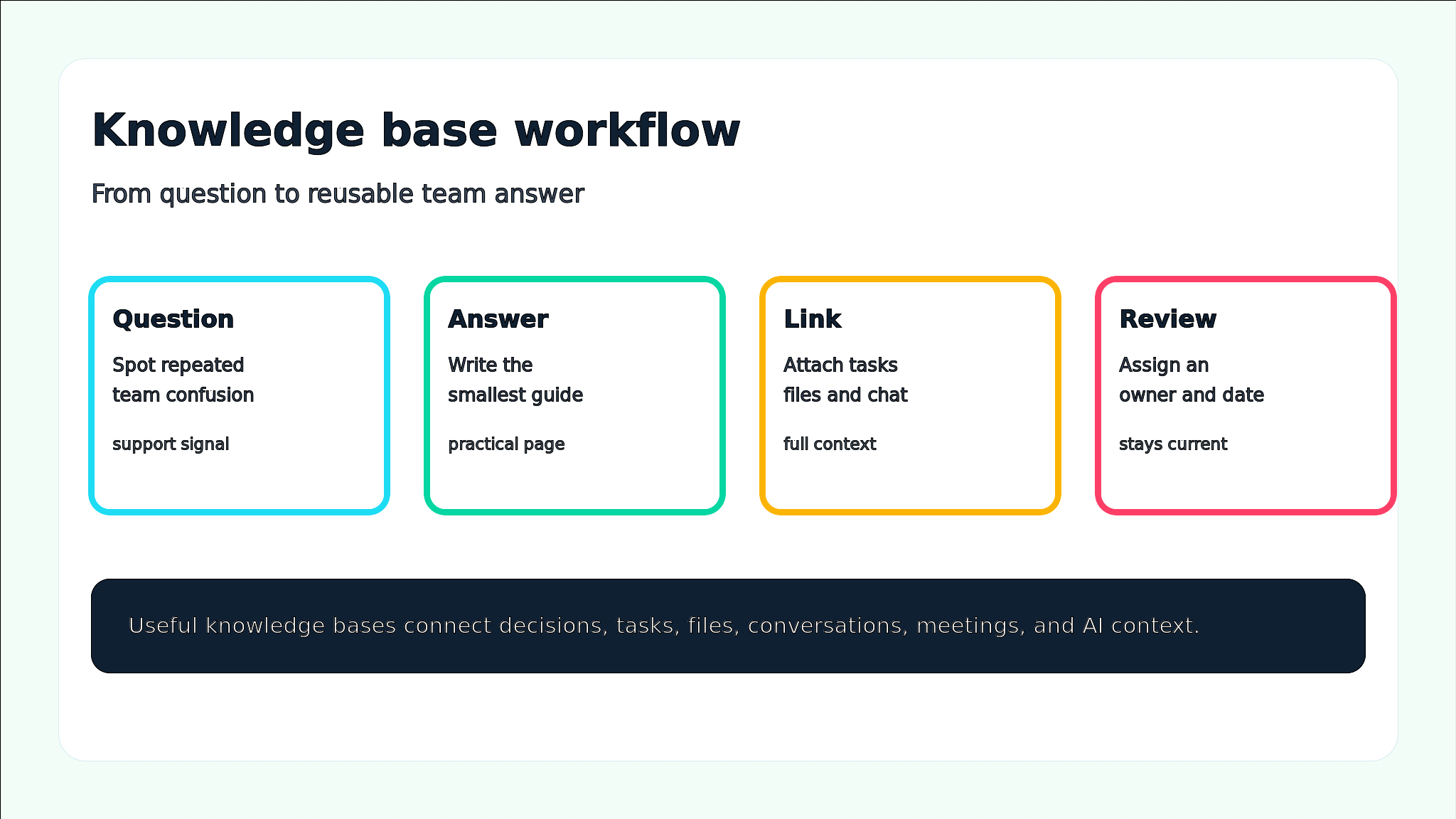
The fastest way to build a useful knowledge base is to start where the team already feels friction. Look for questions that appear in chat, meetings, onboarding calls, support conversations, project retrospectives, and handoff notes. If three people ask the same thing in a month, the answer probably deserves a page.
- Questions about how work should move: intake, prioritization, approvals, handoffs, QA, and delivery.
- Questions about where information lives: brand files, project assets, customer notes, meeting recordings, and decision history.
- Questions about how the team makes choices: escalation rules, communication norms, security steps, and product tradeoffs.
- Questions from new hires or contractors that expose unclear assumptions in the team workflow.
Teams using Edworking Docs can turn these repeated questions into living pages while keeping related tasks, files, and comments nearby.
Use a small set of page types
A knowledge base becomes hard to maintain when every page has a different shape. Small teams need a few reliable page types that map to real work. This keeps pages easier to write, easier to review, and easier for teammates to scan when they are under pressure.
- How-to page: steps for completing a repeated workflow, such as preparing a client handoff or creating a release note.
- Decision record: what was decided, why it was chosen, who approved it, and when it should be revisited.
- Reference page: facts that need one trusted home, such as brand rules, tool access, naming conventions, or team roles.
- Checklist page: recurring work where missing one step creates rework, delays, or customer confusion.
- FAQ page: short answers to repeated questions, with links to deeper docs when needed.
Decision rule: If a page does not help someone complete work, make a decision, avoid a mistake, or find the next owner, it probably does not belong in the first version of your knowledge base.
Make every page answer five questions
Good knowledge-base pages are not long because they are complete; they are useful because they answer the right questions quickly. Use the same five-question checklist for every important page so readers can trust the structure before they trust the details.
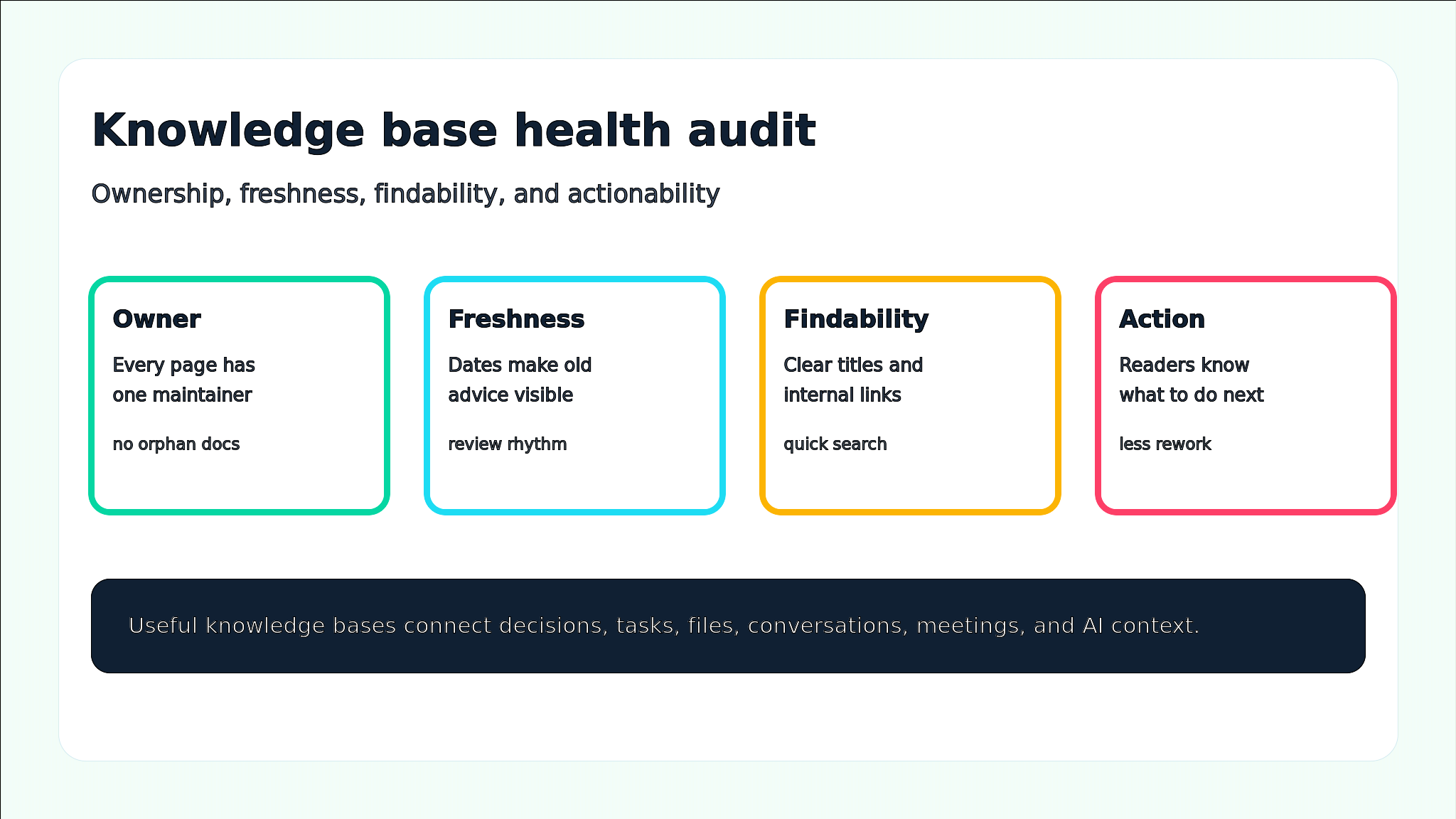
- What is this page for? Open with the exact job the page helps someone do.
- Who owns it? Name the person or role responsible for accuracy.
- When was it last checked? Add a visible review date, even if the content is short.
- What should the reader do next? Link to the task, template, file, meeting note, or request path.
- What changed? Keep a small change note for important updates so teammates understand why the page moved.
Structure pages for scanning
People usually open a knowledge-base page while trying to finish something else. They need the answer, the owner, the next step, and the relevant context without reading a long essay. Use short sections, consistent labels, and links that describe the destination clearly.
- Title pattern: start with the workflow or decision, not an internal nickname. “Client handoff checklist” beats “Project wrap doc.”
- Summary pattern: write a two-sentence answer at the top before adding detail.
- Owner pattern: show the responsible role and backup owner near the top of the page.
- Link pattern: connect to the task board, source file, project room, meeting note, or related guide using descriptive anchor text.
- Review pattern: add a date and trigger, such as “review after pricing changes” or “review every quarter.”
Mistake to avoid: Do not turn the knowledge base into a dumping ground for meeting notes. Meeting notes are evidence; the knowledge base should contain the durable decision, process, or answer that came out of them.
Connect knowledge to the work system
A standalone wiki can still be useful, but small teams often lose context when docs live away from the work. The best knowledge base links directly to the task, file, conversation, and meeting where the answer matters. That way, teammates do not have to translate a document into action every time they read it.
- Link a project brief to the task list that will execute it.
- Link a decision record to the chat thread or meeting notes that explain the tradeoff.
- Link an onboarding guide to files, welcome docs, first-week tasks, and intro calls.
- Link customer-facing process docs to the team members responsible for each step.
In Edworking, teams can keep docs, task management, files, team chat, and video calls in the same workspace instead of stitching together separate tools after the fact.
Comparison: weak wiki vs practical team knowledge base
A weak wiki stores information. A practical knowledge base reduces repeated work. The difference is visible in how the pages are named, owned, linked, and reviewed.
- Weak wiki: pages are organized by team preference. Practical knowledge base: pages are organized by the questions and workflows people actually search for.
- Weak wiki: ownership is implied. Practical knowledge base: every important page has one owner and a review trigger.
- Weak wiki: meeting notes pile up forever. Practical knowledge base: meeting notes are distilled into decisions, checklists, and next-step guides.
- Weak wiki: files and tasks live elsewhere. Practical knowledge base: pages link to the exact task, file, or conversation that makes the knowledge actionable.
- Weak wiki: AI answers may surface stale content. Practical knowledge base: freshness, permissions, and source pages are actively maintained.
If your team is comparing documentation-first software, Edworking also maintains a guide to Confluence alternatives for teams that want connected collaboration, not just a wiki.
Build an ownership rhythm
Most knowledge bases fail slowly. Pages are accurate at launch, then processes change, people leave, tools move, and nobody knows which source to trust. A simple ownership rhythm prevents that decay without creating a full-time documentation role.
- Assign one owner per critical page and one backup owner for high-risk workflows.
- Review onboarding, pricing, security, customer, and delivery docs more often than low-risk reference pages.
- Create a monthly “stale page” task for docs with high traffic, recent confusion, or no review date.
- Archive pages that explain old processes, but keep a short note when historical context matters.
- Use team retrospectives to ask which answer was hardest to find this month.
Edworking tip: Turn documentation upkeep into recurring tasks. A page owner can receive a review task, update the doc, attach the relevant files, and ask Edworking Brain to summarize what changed for the team.
Use AI as a retrieval layer, not a cleanup excuse
AI can make a knowledge base more useful by helping teammates find answers, summarize long docs, and draft first versions of pages. But AI cannot fix unclear ownership or stale source material. If the underlying pages are messy, the answers will be less reliable no matter how polished the interface looks.
- Start by cleaning the source page title, owner, and summary.
- Ask AI to summarize the page and compare that summary with what the team actually wants people to do.
- Use AI to find duplicate or overlapping pages before creating a new one.
- Keep permissions and sensitive content rules clear so search and AI answers do not expose the wrong context.
- Review AI-generated drafts like any other operational document before teammates rely on them.
For teams exploring AI-assisted collaboration, the Edworking AI workspace connects team context with tasks, docs, files, chat, and meetings.
A practical example for a startup team
Imagine a 12-person startup preparing to onboard two new customer-success hires. The team already has scattered Slack answers, a product demo folder, a few Loom-style walkthroughs, and an old onboarding doc. Instead of creating a huge wiki project, the operations lead starts with the questions that new hires will ask in week one.
Example: The team creates five pages: “How we handle customer escalations,” “Where product demo assets live,” “How to file a product feedback task,” “Customer success meeting notes format,” and “First-week onboarding checklist.” Each page has an owner, a short summary, linked tasks, source files, and a review date after the next onboarding round.
- The onboarding checklist links to the docs new hires must read, the files they need, and the intro calls already scheduled.
- The escalation page links to the customer-support task workflow and the chat channel for urgent questions.
- The product feedback page links to the project board so feedback becomes work, not just a note.
- After two weeks, the team reviews which answers were still hard to find and updates those pages first.
This is where an all-in-one workspace helps. With Edworking for startups, the page, task, file, chat question, video call, and AI context can stay connected from day one.
Knowledge base checklist for small teams
Use this checklist before launching or refreshing your knowledge base. It is intentionally practical: every item should make the knowledge easier to trust, find, or act on.
- Identify the 10 repeated questions that waste the most team time.
- Choose 3 to 5 page types and reuse them instead of inventing a new format for every topic.
- Add an owner, last-reviewed date, and next action to every critical page.
- Link docs to tasks, files, meetings, chat threads, and related resources.
- Create a monthly stale-page review task for high-value workflows.
- Archive or redirect duplicate pages so teammates know which version to trust.
- Use AI to summarize and find information only after the source pages are clean enough to trust.
FAQs
- A useful first version often has fewer than 20 pages, as long as those pages answer high-friction questions.
- Ownership should mean reviewing accuracy, not writing every word alone.
- Trigger-based review works well: review a page after a pricing change, workflow change, launch, hire, or customer escalation.
- Better source pages produce better AI-assisted answers.
Turn team knowledge into less repeated work
A good team knowledge base is not measured by page count. It is measured by fewer repeated questions, faster onboarding, clearer decisions, and less time wasted searching across disconnected tools. Start small, document the highest-friction answers, connect every page to real work, and review the pages that matter most.
Edworking is built for teams that want that knowledge to live beside the work itself. Tasks, docs, files, chat, video calls, and Edworking Brain can sit in one workspace, so a useful page does not become another disconnected tab.
To connect your knowledge base with daily execution, explore Edworking team collaboration or start by organizing your next project in one workspace.
For an external reference on current Confluence positioning, Atlassian describes Confluence as a workspace for knowledge and collaboration.