
 Download Mobile App
Can Edworking replace a file-sharing app?
For active project files, yes. Files live in spaces with folders, filters, previews, and links, and can be referenced from any task, doc, or conversation with #.
Upload files into spaces, tasks, chats, and docs. Filter by type or uploader, preview images inline, and reference any file with # from anywhere.
 SC
SC ER
ER JP
JP +2James ParkSarah ChenSarah ChenSarah ChenMarcus ReidMarcus ReidMarcus ReidMarcus Reid
These are the screens your team works in every day. Explore what each one does before you sign up.
UPLOAD AND FOLDERS
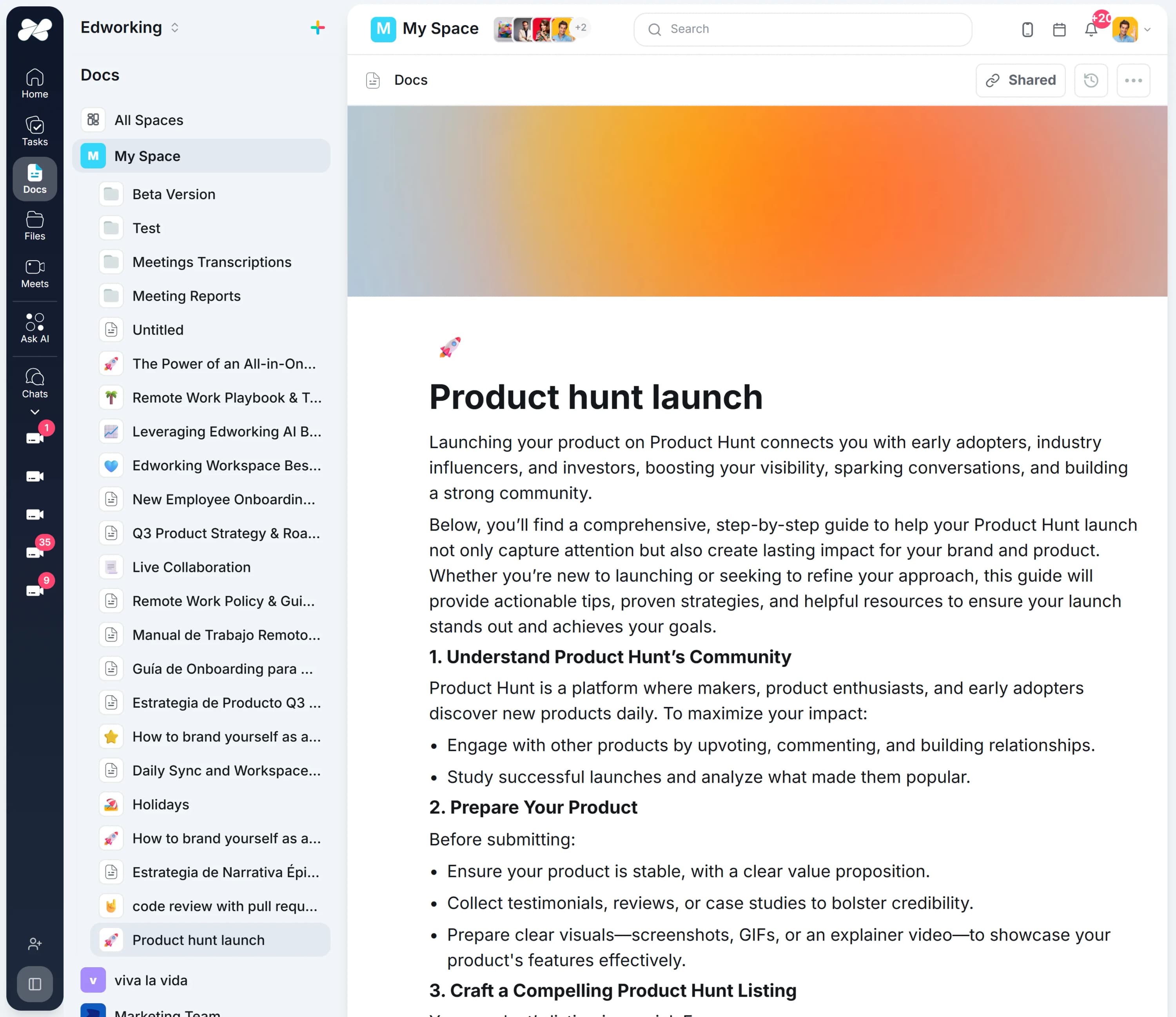
Upload from a task, a chat, a document, or the files view itself, into folders inside the relevant space. Every file type is supported, and the file lands beside the work that explains why it exists.
 NinaMarcusJamesElenaNina
LIST AND BOARD VIEWS
Switch between list and board display, with columns for sharing state, file type, date, and uploader. It answers the question people actually ask, which is who put this here and is it the current version.
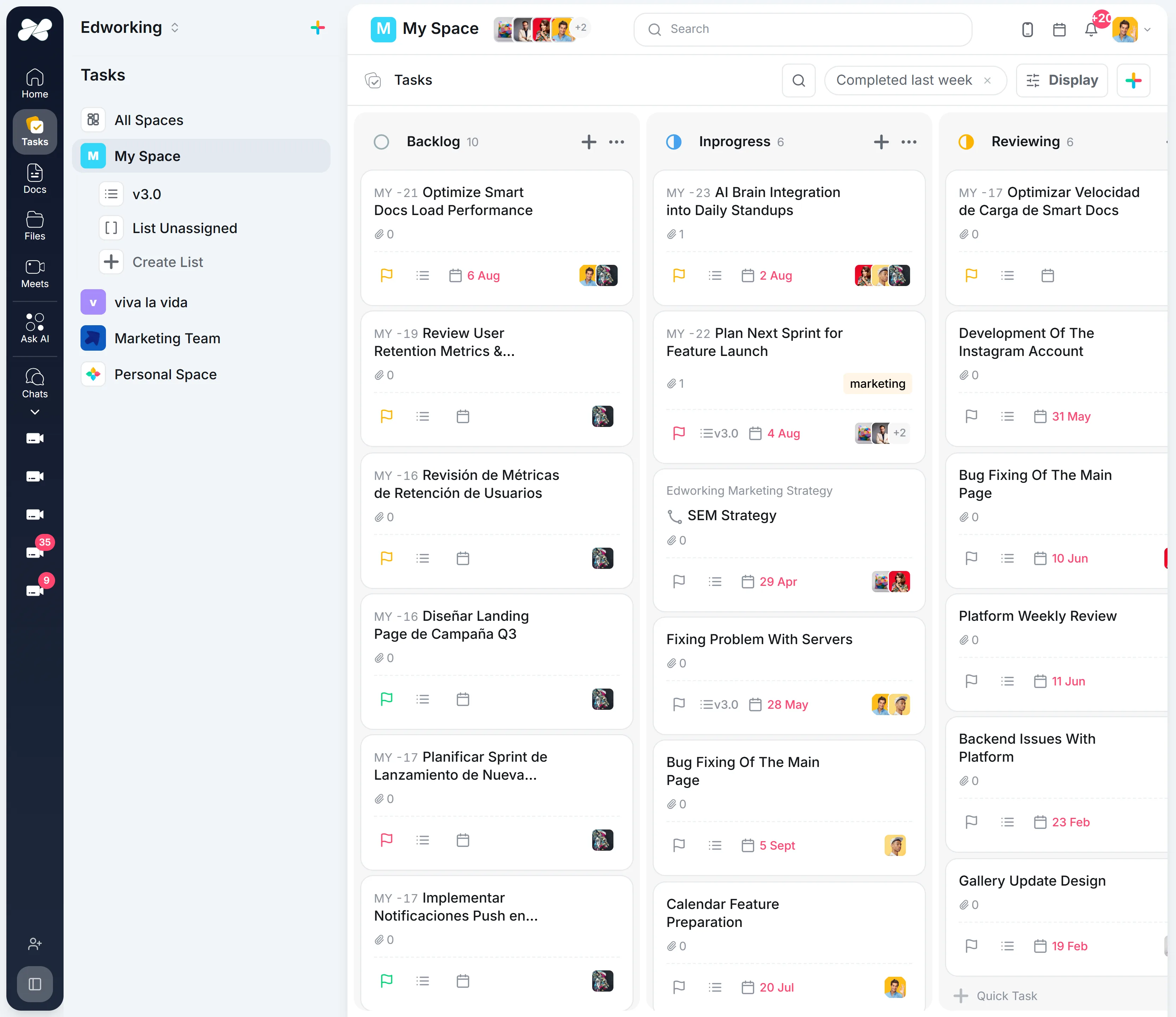
 2:14
2:14FILTERS AND ORDERING
Filter by file type or by uploader, and order by name, type, upload date, author, or sharing state. Finding last quarter’s deck should not depend on someone having named the folder sensibly.
SarahNinaMarcusJamesElenaNinaREFERENCES WITH #
Type # in a chat, task, or doc to reference a file that already exists. One asset in one place, rather than four copies of the same deck drifting apart in different message threads.
PREVIEWS, ACTIONS AND RECOVERY
Preview images inline, then rename, duplicate, download, share with a link, or copy a direct link. Anything deleted stays in Recently Deleted for 30 days, so a wrong click is not a lost afternoon.

AI SEARCH INSIDE FILES
AI search reads content inside PDFs and images as well as tasks, docs, and messages. A clause in a signed contract or a number in a screenshot becomes findable without opening every file in the folder.
VIDEO STORIES
Record a short video story to walk through a design, show progress, or leave feedback. Async teams get the context of a call without another entry on everyone’s calendar.
Discover how to upload files to tasks, share with your team, and record video stories for quick updates.
Start File OnboardingCommon questions from teams deciding which files belong in a drive and which belong beside the work.
For active project files, yes. Files live in spaces with folders, filters, previews, and links, and can be referenced from any task, doc, or conversation with #.
Filter by type or uploader, order by name, date, author, or sharing state, or use AI search, which reads content inside PDFs and images rather than only filenames.
Long term archives, digital asset management, and workflows that need file version history or retention policies are still better served by a dedicated storage system.
Autonomous agents that monitor, report, and answer around the clock. Delegate the repetitive work so your team can focus on what matters.
Automated intelligence reporting
Generates project reports, sprint summaries, and performance insights on a schedule you set. Always accurate, always on time. No manual work required.
Instant workspace intelligence
Ask anything about your workspace. Searches across tasks, docs, chat, and files to deliver precise, context-aware answers in seconds.
A documented Edworking experience; it is not a claim that every customer switched from this competitor.
“I left ClickUp to move here because ClickUp wasn't user-friendly for my team. I fully understood the processes, but they didn't. And some of my team members are in the Philippines. So that's why we just shifted to something much easier.”Edworking customer ·
Read the customer’s story →“At the same time it was always a disconnection to communicate with staff and freelancers on Slack while the project tasks were sitting in ClickUp. But we tested it for a month now in our team and everybody is happy! Simpler task setup than ClickUp, better performance and finally projects and messaging in the same app. They even helped us to migrate from ClickUp.”Edworking customer ·
Read the customer’s story →Discover guides, tools, and insights to help you succeed
Six products that replace your whole stack, and the hundred small things around them.
In folders inside each space, and attached to the tasks, chats, and docs where they were shared. The same file can be referenced from anywhere with #.
Yes. AI search reads content inside PDFs and images, so you can find a file by what it says rather than what it is called.
Deleted files and folders stay in Recently Deleted for 30 days and can be restored from there.
Not today. Edworking is built for active project files, so teams that need version history or retention policies should keep a dedicated storage system for those assets.