
 Download Mobile App

All Your Work Tools in One Platform
Plan tasks, write docs, share files, chat, meet, and use AI in one connected workspace. Edworking helps teams reduce app switching and keep work context together.
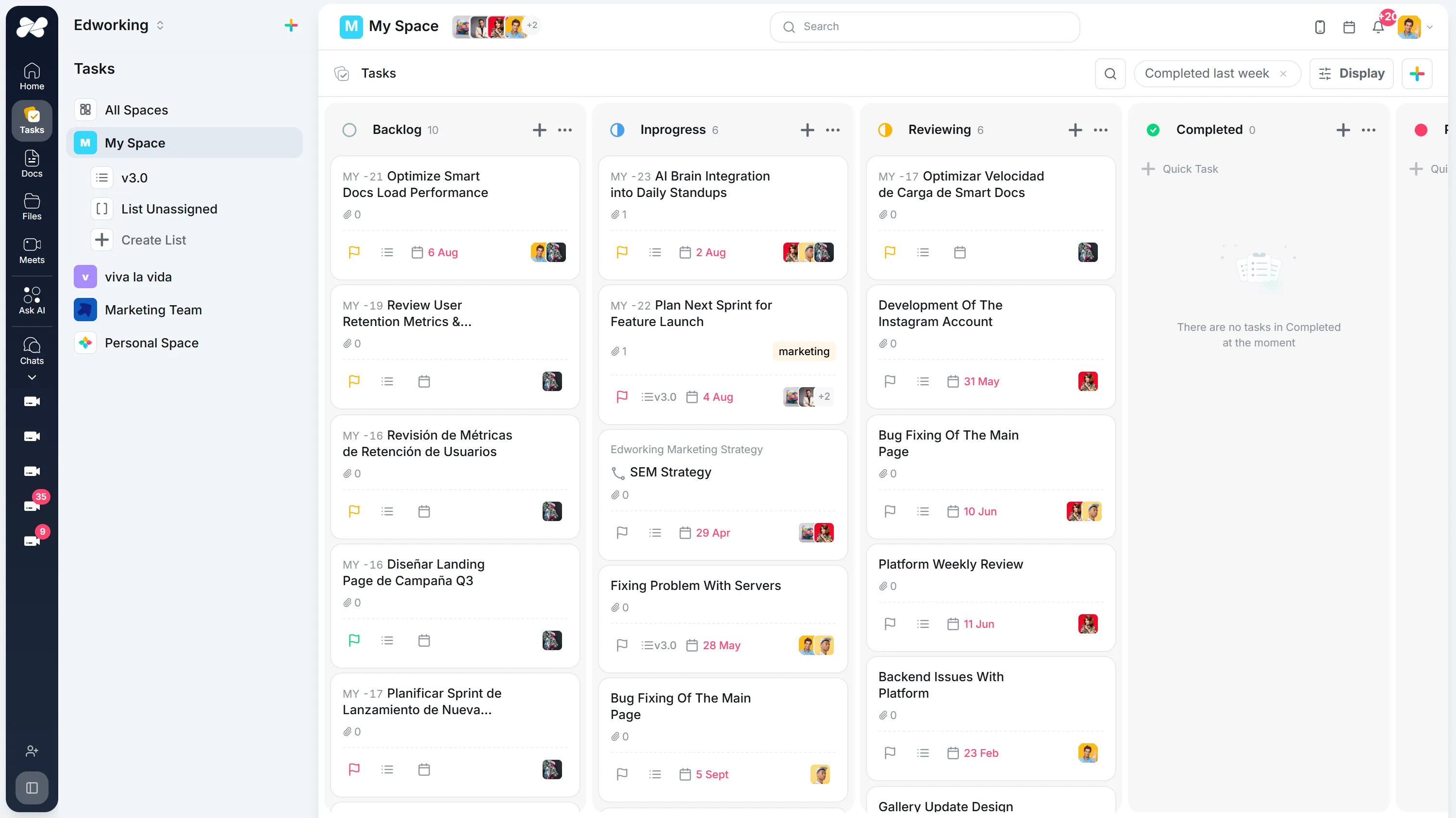
One workspace. Follow your own path.
Manage tasks with kanban boards, list views, and agile sprints. Track deadlines, assign work, and keep your team aligned in one place.
Create and edit documents with a full editor and AI assistance. Write faster, collaborate in real-time, and share with your team or publicly.
Use Edworking chat to keep project conversations, files, meeting follow-ups, and task decisions inside one all-in-one workspace.
Start video calls from any chat or create dedicated meeting rooms. No Zoom or Teams needed—video conferencing is built right in.
Upload and share files directly in tasks and chats. No Dropbox or Google Drive needed—files live where you work. Plus quick video stories for async updates.
Chat with AI that knows your tasks, docs, and files. Search everything instantly, enhance your writing, and get answers without digging through files.


 SC
SC
 JP
JPBring your Projects With You
Switching from Monday, ClickUp, Trello, Asana, Jira or Notion? The import assistant is built into Edworking. Pick your source, upload the export, and your projects arrive as a copy while the original tool stays untouched.






Teams that brought their work together
Read the original customer stories behind these experiences.
“I left ClickUp to move here because ClickUp wasn't user-friendly for my team. I fully understood the processes, but they didn't. And some of my team members are in the Philippines. So that's why we just shifted to something much easier.”Edworking customer ·
Read the customer’s story →“At the same time it was always a disconnection to communicate with staff and freelancers on Slack while the project tasks were sitting in ClickUp. But we tested it for a month now in our team and everybody is happy! Simpler task setup than ClickUp, better performance and finally projects and messaging in the same app. They even helped us to migrate from ClickUp.”Edworking customer ·
Read the customer’s story →All your apps, your AI, and your team in Edworking
Six products that replace your whole stack, and the hundred small things around them.
Edworking features FAQs
Edworking includes task management, collaborative docs, team chat, video meetings, file sharing, and AI assistance inside one shared workspace.
Yes. For teams that want connected tasks, docs, communication, meetings, files, and AI in one place, Edworking can reduce the need for separate tools.
Yes. Edworking includes AI for writing, search, workspace answers, reports, and agents that can use team context from tasks, docs, chats, and files.
Edworking is built for startups, SMEs, remote teams, agencies, and growing teams that want one practical workspace instead of disconnected apps.
Teams can start with the core workspace, add projects and docs, invite teammates, then connect chat, files, meetings, and AI around the work they already manage.