
 Mobile App Herunterladen

Kundenkollaborationsportal für Teams
Kundenkollaborationsportal für Teams
Bieten Sie Kunden einen einzigen Arbeitsbereich für Aufgaben, Dokumente, Dateien, Chat, Videoanrufe, Genehmigungen und KI-Kontext. Halten Sie Projektaktualisierungen klar, ohne verstreute E-Mail-Threads.
Kostenlos für bis zu 5 Personen. Keine Kreditkarte erforderlich.
Beziehen Sie Kunden ein, ohne den gesamten Arbeitsbereich zu öffnen
Kundenarbeit geht an den Übergabepunkten schief. Diese vier halten Überprüfung, Feedback und Genehmigung in einem Thread.
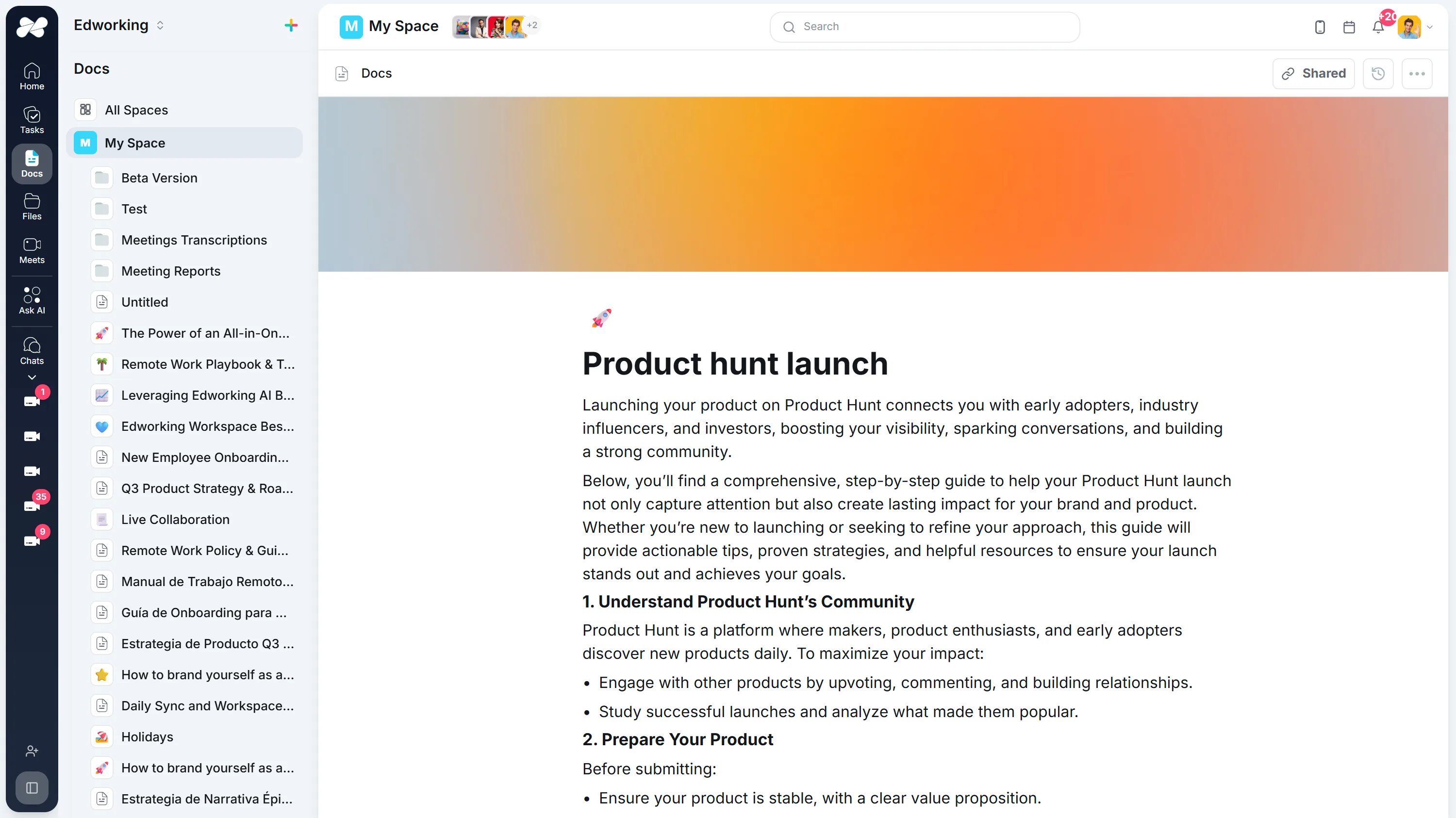
Teilen Sie Arbeit mit einem Link, der aktuell bleibt
Veröffentlichen Sie ein Dokument zur Überprüfung, und der Kunde sieht immer die neueste Version, anstatt exportierte PDFs per E-Mail miteinander zu vergleichen.
Funktion entdeckenDie Auslastung jedes Einzelnen direkt an der Aufgabe ablesen
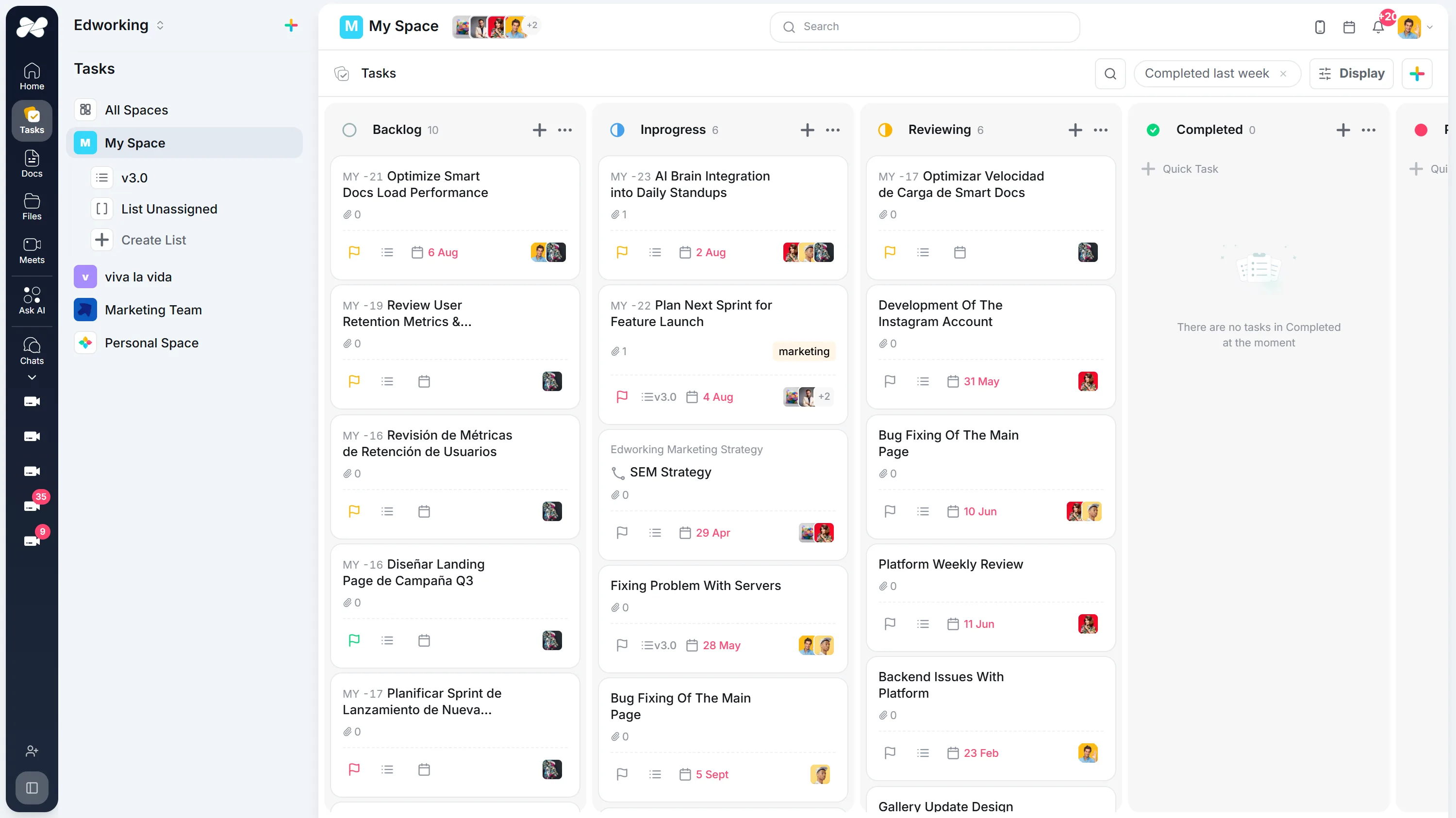
Verantwortlicher, Priorität, Schätzung und Fälligkeitsdatum stehen bei jeder Aufgabe zusammen, sodass die Neuausrichtung eine Neuverteilung und keine Tabellenkalkulationsübung ist.
Funktion entdeckenHalten Sie Kundenfeedback bei der Aufgabe, die es ändert
Jede Aufgabe hat ihren eigenen Thread, sodass eine Revisionsanfrage am Lieferergebnis verbleibt und nicht in einem Posteingang, den niemand sonst sehen kann.
Funktion entdecken


Geben Sie jedem Kunden einen festen Raum
Ein persistenter Besprechungsraum behält seinen Link und seine Konversation zwischen den Anrufen, sodass der wöchentliche Check-in nie eine neue Einladung oder einen neuen Link benötigt.
Funktion entdeckenWeekly Product Sync
Thursday, Aug 2710:00 – 10:30
MRJP NP
NP
Someone in the meeting has to let you in.
So nutzen Kunden Edworking
Originalaussage des Kunden
I am an advanced user of tools like Discord, Slack, Monday.com, and Jira, and I often have to context-switch between these tools to get the full picture. Now, we manage client projects, communicate in real-time, and track deliverables all within one intuitive interface.It is snappy, organized, clear, and works well. All of our work: tasks, files, documents, chat, meetings, etc, can happen here. Our org is adopting Edworking after literally years of trying everything else. Powerful but not bloated.Cris E.
Kundengeschichte lesenStarten Sie mit einem echten Projekt.
Testen Sie einen vollständigen Arbeitsablauf, bevor Sie alles übertragen.
Arbeit auswählen
Wählen Sie ein laufendes Projekt oder einen Prozess und halten Sie den Kontext in einem gemeinsamen Dokument fest.
Nächsten Schritt festlegen
Erstellen Sie eine Aufgabe mit Verantwortlichem, Termin und den benötigten Informationen.
In der Praxis ausprobieren
Erledigen Sie eine echte Aufgabe. Wenn Sie im Team arbeiten, laden Sie jemanden ein, ein Update zu hinterlassen.
Kostenlos für bis zu 5 Personen. Keine Kreditkarte erforderlich.
Häufig gestellte Fragen
Kundenkollaborationssoftware bietet Teams und Kunden einen gemeinsamen Arbeitsbereich für Projektstatus, Aufgaben, Dokumente, Dateien, Fragen, Besprechungen und Genehmigungen.
Edworking vereint Aufgaben, Dokumente, Dateifreigabe, Chat, Videoanrufe und KI in einem Arbeitsbereich, sodass die Kundenkommunikation mit der gelieferten Arbeit verbunden bleibt.
Teams können Dateien an Aufgaben anhängen, Überprüfungsnotizen in Dokumenten oder Kommentaren aufbewahren und nächste Schritte sichtbar machen, damit Genehmigungen nicht in E-Mail-Threads untergehen.
Teamkollaboration konzentriert sich auf interne Arbeit. Kundenkollaboration fügt eine kundenorientierte Ebene für Status, Genehmigungen, Fragen, Dateien und gemeinsame Entscheidungen hinzu.