
 Download Mobile App


A little direction. A better first draft.
Paraphrasing Tool
Refresh knowledge bases, SOPs, and customer communications without leaving Edworking. The AI Paraphrasing Tool rewrites paragraphs, locks critical terminology, and routes approvals through Docs and Tasks so brand voice stays intact.
02Your draft
Your next draft starts here
Add your brief or choose an example. Your generated text will appear here, ready to review, copy or download.
AI drafts need your judgement. Check facts, meaning and suitability before using them.
Before you use it
- Check names, facts and any sources.
- Keep the meaning and details that matter.
- Adjust the draft to sound like you.
How it works
Make the brief do the hard work
A useful result starts with a little context. Work through these three steps, then make the output your own.
Open the tool01Give it context
Add the source material, topic or goal. Include the details the result must keep.
02Shape the result
Choose the settings that fit your audience. Start with an example if you need a little direction.
03Review and take it further
Check the output, copy or download it, then bring it into your next document or project.
How it works inside Edworking Docs
Open any Doc, highlight a passage, and let the AI Writing Assistant paraphrase it on the spot — your team reviews and approves without switching apps.
- 01
Highlight text in Docs
Select the passage you want to paraphrase inside an Edworking Doc. The Writing Assistant menu opens instantly.
- 02
Choose a paraphrase style
Pick Improve writing, Simplify language, or Change tone. The AI generates a fresh version while keeping your locked terminology intact.
- 03
Accept and collaborate
Replace the original or insert below for comparison. Tag reviewers, collect inline feedback, and publish when everyone signs off.
Paraphrasing Tool
Choose What to Put into Practice
Pick the points that fit your idea or project. We’ll create a Space with those tasks so you can put this page into practice.
- 01Choose the tasks that matter to you.
- 02Set up a Space with your selected tasks.
- 03Add owners, dates and details in Edworking.
0 tasks selected
Select at least one task to set up your Space.
From a first idea to shared work
Make something. Then make it happen.
A draft or visual is just the start. Explore how Docs, Files and Tasks keep the next steps together in Edworking.
Bring a draft into a shared document. Edit the wording and keep the discussion beside the work.
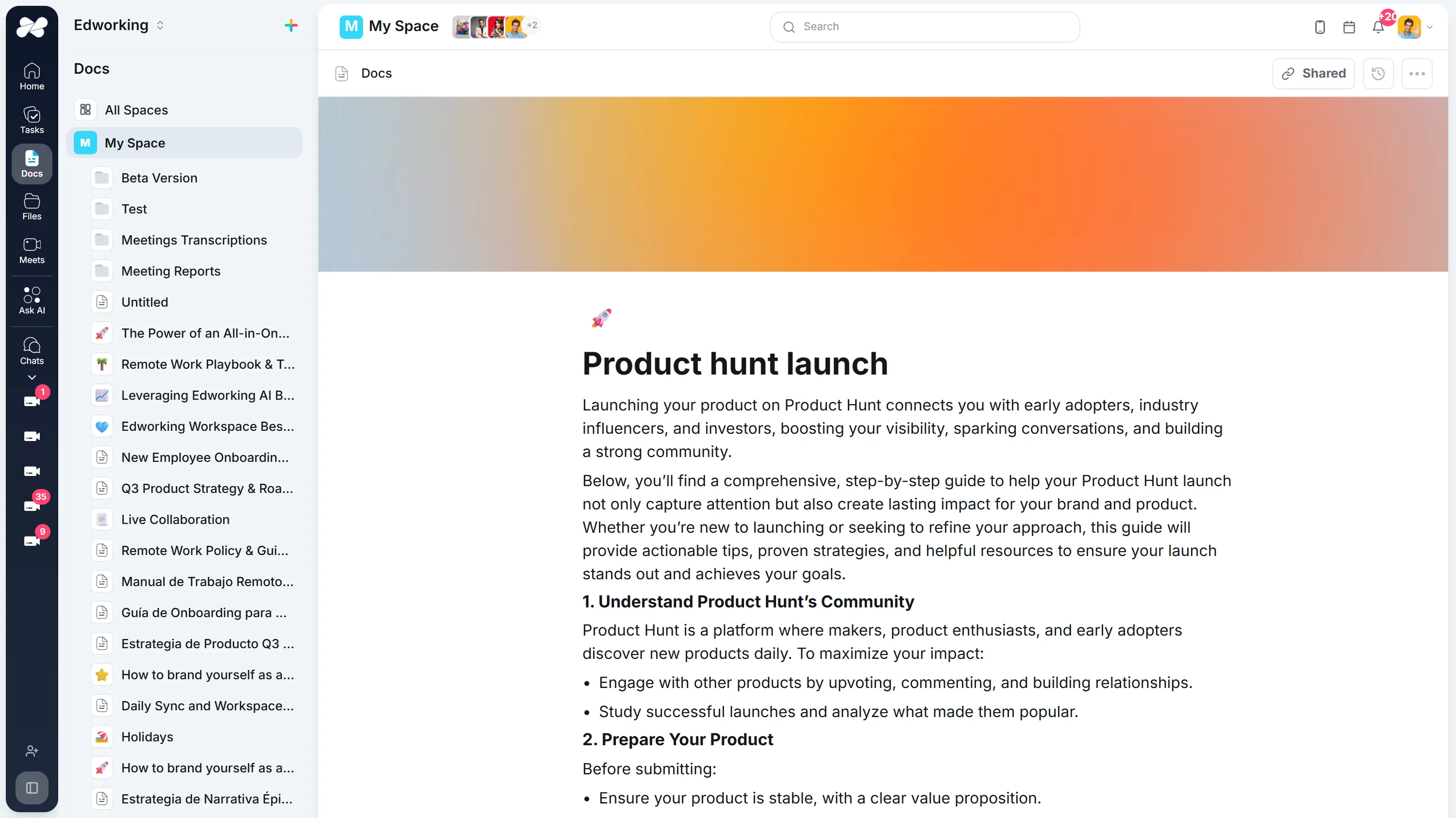
Opens the full interactive demo with an example workspace in English. Generated results are not saved to the demo automatically.
KEEP EXPLORING
Similar Tools
A useful next step, whether you are refining a draft, planning work or learning more about your team.
Conclusion Generator for Essays and Reports
Generate a draft conclusion for an essay, report, proposal, or recap. Check the main takeaway, supporting points, tone, and next step before publishing.
Open toolAI Introduction Generator
Generate clear introductions for essays, reports, proposals, and team documents. Refine the opening in Edworking Docs and assign reviews in Tasks.
Open toolParagraph Rewriter
AI paragraph rewriter for teams—refresh copy in Docs, preserve mandatory terminology, and route approvals through Tasks without leaving Edworking.
Open toolAI Rewording Tool with Approval Workflows
Collaborative AI rewording for regulated teams. Preserve tone, enforce glossaries, collect approvals, and publish updates directly inside Edworking.
Open toolAI Essay Hook Generator
Generate opening sentences for essays and other content. Compare question, contrast, scene, and fact-led hooks, then edit the result to match your topic and tone.
Open toolBook Summary Generator
Quickly grasp the core ideas of any book with our AI-powered Summary Generator. Ideal for enhancing comprehension and saving time.
Open toolFrequently Asked Questions
Paste the copy you need refreshed (400–600 words works best), set tone or terminology notes in the prompt, and the AI generates a new draft directly in Docs. You can keep editing, compare versions, and publish without exporting the text.
Marketing, customer success, knowledge base managers, and compliance leads use it to refresh support articles, onboarding guides, sales assets, and policy language while staying aligned with brand and regional requirements.
Yes. Add instructions such as “keep product names” or paste mandatory disclaimers into the prompt so the AI respects them. Reviewers can highlight any deviations inside Docs before approval.
Every rewrite lives inside Edworking Docs with full version history. Assign a Task to reviewers, collect inline comments, and mark the Task complete once legal or product teams sign off.
English, Spanish, Portuguese, French, and Italian are fully supported. You can also request formal, conversational, or compliance-ready tones to match each audience.
For the sharpest output, paraphrase sections of up to 600 words. Larger manuals can be processed section-by-section and stitched together with Doc version history.
The Rewording Tool focuses on full rewrites with heavier structural changes, while the Paraphrasing Tool keeps the original flow but swaps wording for freshness. Many teams start with Paraphrasing, then use Rewording when they need deeper edits.
Yes. Content stays inside your Edworking workspace with role-based access, encryption in transit and at rest, and no exposure to public AI endpoints.