Download Mobile App



Project pipeline management is the process of collecting, evaluating, prioritizing and tracking proposed and active projects as they move through defined decision stages. It helps leaders compare demand with strategy, budget and capacity before teams commit to delivery.
A project pipeline is not the same as a single project's task workflow. The pipeline shows multiple initiatives from idea to decision and execution; the project plan shows how one approved initiative will be delivered.
A useful pipeline makes status, decision criteria and ownership visible. Each stage should have an entry condition, an owner, the evidence required and a clear next decision.
What is a project pipeline?
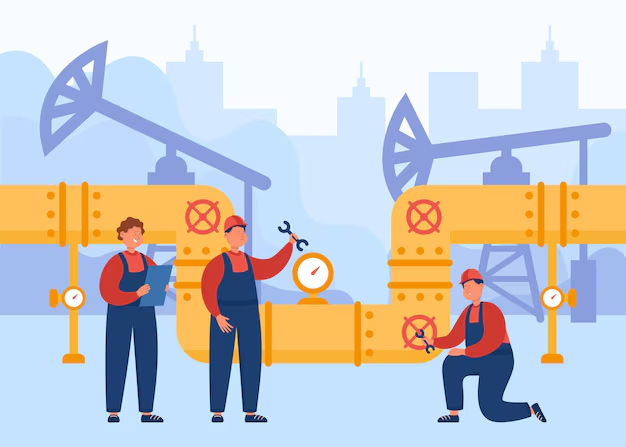
A project pipeline is a shared view of initiatives at different stages, such as submitted, qualified, prioritized, approved, active, on hold or complete. Organizations can rename the stages, but each one should represent a real decision rather than a decorative status.
For example, a software team may receive ten requests, qualify six against customer and technical evidence, approve three within capacity and keep the remaining ideas visible for a later review. That is pipeline management; the sprint plan for one approved request is delivery management.
The pipeline therefore connects portfolio decisions with delivery without pretending that every idea is already a committed project.
Why do you need a pipeline?
Having a clear understanding of the progress of a project is crucial for successful project management. A pipeline provides a visual representation of the project's journey from start to finish, giving you improved visibility and a better understanding of where the project stands.
Let me break down the three main reasons why a pipeline is a must-have tool for your project management toolbox:
Improved Visibility

With a pipeline, you can see exactly where each project is at in its journey, from start to finish. This level of visibility helps you identify any roadblocks or slowdowns, so you can quickly make adjustments and keep the project moving smoothly. Imagine you're working on a website development project and suddenly, you notice that the design stage is taking much longer than expected. With a pipeline, you can quickly see this delay and address it promptly, so your project stays on track.
Better Collaboration

A pipeline provides a clear visual representation of your project's status, which can help improve communication and collaboration between team members and stakeholders. No more confusion about who's responsible for what or where the project stands. Everyone can see it, right there in the pipeline. Think of it like a virtual whiteboard where everyone can see the progress of the project and work together to keep it moving forward.
Better Resource Allocation
A pipeline helps you allocate resources effectively, ensuring that each stage of the project is completed on time. You can see where your resources are being used and adjust as needed to keep everything moving forward. For example, if you're working on a construction project and see that the foundation is taking longer than expected, you can quickly allocate additional resources to get the foundation completed on time.

Project pipeline vs project plan
- Project pipeline: compares multiple proposed and active initiatives for portfolio decisions.
- Project plan: organizes the scope, schedule, owners and risks of one approved project.
- Task workflow: shows the status of individual tasks inside delivery.
Six practical stages of a project pipeline
There is no single mandatory stage model. The following six-stage flow is a practical starting point that separates requests, decisions and committed delivery.
1. Intake
Capture the request, problem, expected outcome, sponsor, urgency and known constraints in a standard form. Intake creates a record; it does not approve the work.
Reject duplicates and route operational tickets or small changes to the right process so the project pipeline contains comparable initiatives.
For example, let's say a company wants to launch a new product in the market. The initiation stage of this project would involve defining the product's features, its target audience, the budget, and the timeline. The project manager would then put together a team of experts, such as designers, developers, and marketers, to work on the project. They would also create a project plan, outlining the steps that need to be taken to bring the product to market.

2. Qualification
Confirm strategic relevance, expected value, major risks, dependencies, rough effort and the evidence behind the request. Return incomplete proposals to the requester instead of estimating around missing information.
A short discovery step may be needed, but time-box it and name the decision it must support.
Qualification protects later prioritization from proposals that look precise but are not decision-ready.
3. Prioritization
Compare qualified initiatives with consistent criteria such as strategic fit, customer impact, risk reduction, urgency, cost and capacity. Record assumptions rather than hiding judgment inside a score.
Prioritization produces an ordered set of options, not a promise that every high-scoring idea will start immediately.
Review the order when evidence, dependencies or capacity changes.
4. Approval and funding
The authorized sponsor or governance group approves, rejects, defers or requests more evidence. Record the decision, funding source, accountable owner and conditions for starting.
An approved project should have a defined outcome and enough capacity to begin. Avoid filling the active column with work that has no owner or realistic start date.
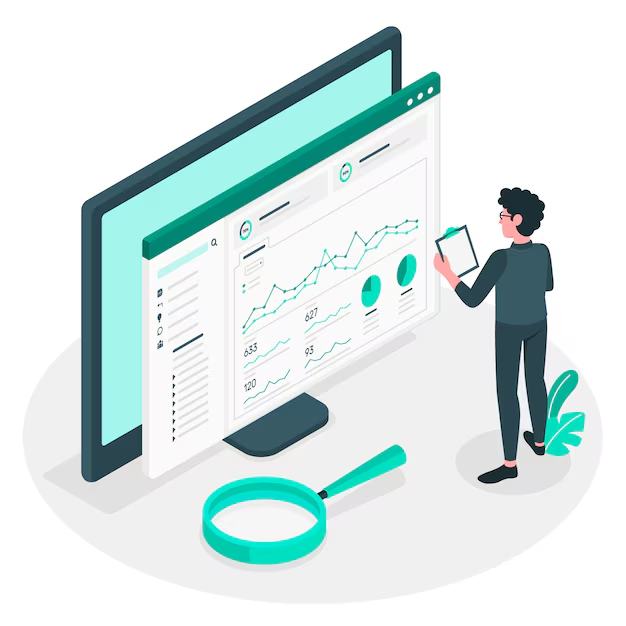
It's important to have regular check-ins during the monitoring and controlling stage, as this allows the project manager to identify and resolve any issues before they become major problems. This stage helps to keep the project on track and ensures that it is completed on time, within budget, and to a high standard.
5. Active delivery
Move approved work into delivery and track health, forecast dates, material risks and benefit assumptions. The project manager owns the delivery plan while the pipeline retains a portfolio-level view.
Limit work in progress. Starting too many projects can increase waiting time and reduce the organization's ability to finish the highest-value work.
The closure stage is an important step in the project pipeline, as it allows the team to reflect on their work, document their achievements, and ensure that the project's outcomes are properly recorded for future reference. It's a time to celebrate the hard work of the team and to look forward to future projects.

6. Close, review or stop
Close completed or cancelled work with an outcome, final decision and owner for benefits follow-up. A stopped project is still a useful pipeline result when the evidence no longer supports continuing.
- Revisit deferred initiatives on an explicit review date so they do not remain indefinitely in a vague backlog.

Benefits of a clear project pipeline
- Better choices: decision-makers can compare initiatives using the same evidence and see which work is not yet committed.
- Capacity visibility: teams can see the gap between approved demand and the people or budget available to deliver it.
- Faster governance: named owners, criteria and decision dates reduce repeated status requests and unclear handoffs.
Tools and techniques for project pipeline management
Use the simplest system that makes requests, evidence, decisions and capacity visible. A spreadsheet may suit a small portfolio; a work-management or portfolio platform is useful when dependencies, permissions and reporting become harder to maintain.
Project Management Software
In today’s digital age, leveraging project management software is almost a given. Tools like Asana, Jira, or Microsoft Project offer a comprehensive set of features that enable you to build, manage, and visualize your project pipeline effortlessly. Most of these software options allow for real-time updates and collaborative input, thus enhancing transparency and team cohesion.
Gantt Charts
Gantt charts provide a visual timeline for your project, mapping out all tasks against a time axis. This is particularly useful for understanding the interdependencies between different stages and tasks. With a Gantt chart, it’s easier to foresee potential bottlenecks and make timely adjustments, ensuring that your project stays on track.

Kanban Boards
Kanban boards are fantastic for projects that require continuous delivery. They give teams the ability to see the status of every task in real-time. Each task card moves through different columns (e.g., To Do, In Progress, Done) as the project advances, allowing for quick adjustments and a more agile workflow.
Resource Management Tools
Knowing where your resources are allocated is crucial for any project manager. Resource management tools help you to keep tabs on who is doing what, as well as the availability and costs associated with those resources. This ensures that you can make data-driven decisions when it comes to allocating personnel, equipment, or budgets.
Risk Assessment Templates
Risk is an unavoidable aspect of any project. Having a standardized risk assessment template ensures that potential issues are identified, evaluated, and mitigated before they escalate into real problems. This proactive approach can save not only time but also resources and morale.
Communication Platforms
Effective communication is the cornerstone of successful project management. Tools like Slack or Microsoft Teams can be integrated into your project management software, allowing for seamless, centralized communication. These platforms can be particularly useful for remote teams or projects that involve multiple stakeholders, as they allow for real-time updates and information sharing.
Time-Tracking Tools
A good time-tracking tool is invaluable for keeping your project on schedule. Time trackers help you understand how much time is being spent on each task, aiding in more accurate future planning and helping you identify any inefficiencies in the current workflow.
Metrics and KPI Dashboards
Understanding the key performance indicators (KPIs) relevant to your project is crucial for its success. Customizable dashboards can provide real-time insights into various metrics like project progress, resource utilization, and financial health. This data is invaluable for making informed decisions and proving the ROI of your project to stakeholders.
By integrating these tools and techniques into your pipeline project management, you can enhance visibility, collaboration, and efficiency across all your projects. Whether you're a seasoned project manager or just starting out, these resources are indispensable for delivering successful, on-time, and within-budget projects.
Project pipeline example
A marketing team receives a request for a customer webinar, a pricing-page redesign and a partner campaign. Intake records the expected outcomes and sponsors. Qualification confirms audience evidence, dependencies and rough effort. Leaders prioritize the redesign first because it supports an active launch, approve the webinar for the next capacity window and defer the partner campaign until its audience data is available. The team records each decision and review date, and only approved initiatives move into active delivery.
Challenges and best practices
Common problems include treating every request as committed, using scores without evidence, leaving deferred work without a review date and starting more projects than teams can finish. Address them with explicit decision rights, stage criteria and work-in-progress limits.
Challenges in Pipeline Project Management

Complexity and Scale
One of the major challenges is managing the complexity and scale of various projects. When you're dealing with multiple projects, each with its own set of tasks, deadlines, and team members, it's easy for things to get overwhelming.
Change Management
Change is inevitable in any project. Whether it's a change in project scope, team members, or timelines, managing these changes effectively while keeping everyone on the same page can be a challenge.
Data Overload
With so much information flowing through your pipeline, data overload can become an issue. Knowing what metrics and KPIs to focus on for gauging project health can be confusing.
Resource Constraints
Whether it's time, money, or manpower, resource constraints can significantly hamper your project. Managing and allocating resources wisely across multiple projects is not always straightforward.
Best Practices in Pipeline Project Management
Regular Monitoring and Review
Regularly monitor and review your pipeline to identify bottlenecks, assess the progress of various stages, and ensure alignment with business goals.
Prioritize Transparency
Keep your project pipeline visible to all team members and stakeholders. The more transparent the process is, the easier it is for everyone to understand their roles, responsibilities, and the current status of the project.
Streamline Communication
Effective communication is crucial in pipeline project management. Use tools like Slack, Microsoft Teams, or specialized project management software that can integrate with your pipeline for seamless communication.
Adapt and Optimize
Be prepared to make quick decisions and adjust your strategies as you move along. Use data-driven insights to optimize processes and make informed changes.
Conduct Post-Project Analysis
Don’t skip the Closure stage, as tempting as it may be to move on to the next project. Reflect on what went well and what didn't. Document these insights and apply them to future projects.
Conclusion
So, there you have it! If you're ready to take your project management skills to the next level, give pipeline project management a try. Trust me, you won't regret it! And, if you want to learn more about project management, be sure to check out our other project management blogs.
If you want to work efficiently with your team, you should try out Edworking! It's an online collaboration tool that makes working together a breeze. With features like real-time document editing, task management, and communication tools, you can ensure everyone is on the same page and working towards a common goal. Trust me, it's a game-changer! So why not give Edworking a try today?