Download Mobile App
Remote onboarding is harder than office onboarding because the small gaps are easier to miss. A new hire can have the contract signed, the laptop delivered, and the calendar full, yet still feel lost because the work context lives across scattered chats, folders, calls, and personal notes.
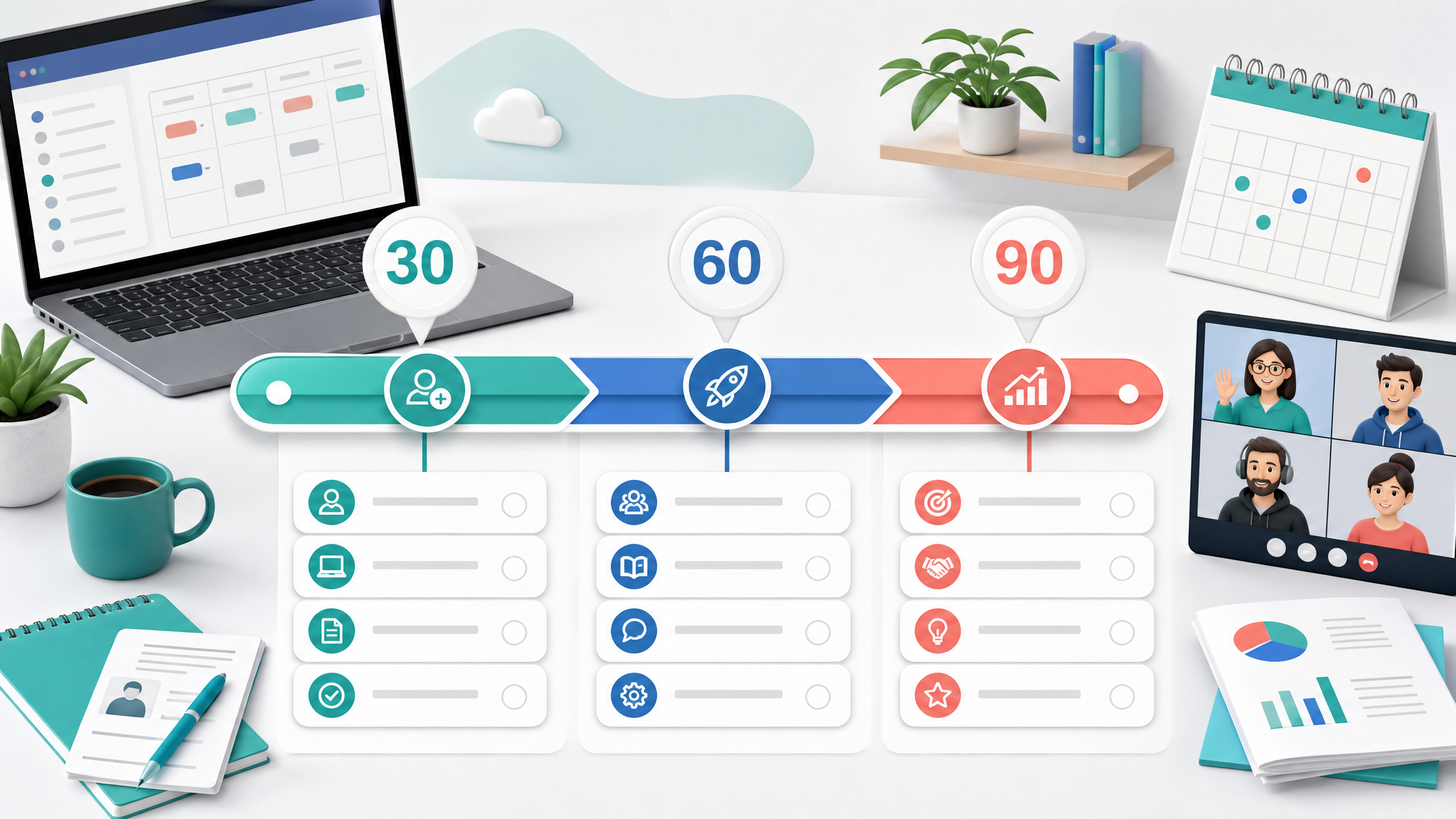
A strong remote onboarding checklist prevents that drift. It gives the manager, new hire, buddy, HR lead, and IT owner one shared plan for what needs to happen before day one, during the first week, and throughout the first 90 days.
This guide is written for startups and small distributed teams that do not want a heavy HR process. You will get a practical 30-60-90 day structure, role-by-role ownership, common mistakes, and a simple way to turn the checklist into tasks, docs, files, chat threads, and check-ins inside one workspace.
 What a remote onboarding checklist needs to solve
Traditional onboarding often relies on proximity. A new employee overhears how people talk about customers, asks quick questions after a meeting, notices who owns each system, and learns norms by watching the team work. In a distributed team, those cues are not automatic.
HR research often describes onboarding as more than paperwork; the widely used "5 C's" model covers compliance, clarification, culture, connection, and check-back, which is a useful lens for remote teams that need both structure and human contact. You can use the SHRM Foundation onboarding research as a reference point, but the practical version for a small team is simpler: make responsibilities, context, and feedback visible.
The checklist has to replace missing ambient context with explicit context. That does not mean creating a rigid script for every hour. It means making the critical path visible enough that the new hire knows what to read, who to ask, what to do next, and how success will be judged.
At minimum, your remote onboarding checklist should solve five problems.
First, it should make access predictable. No one should spend their first day waiting for email, project management, chat, docs, calendar, password manager, or product accounts. Access tasks need owners and due dates before the start date.
Second, it should make communication norms clear. New hires need to know which messages belong in chat, which decisions need documentation, when video calls are expected, and how quickly people normally respond.
Third, it should connect learning to real work. Reading a handbook is useful, but onboarding becomes memorable when the new hire applies context to a small task, customer example, internal document, or shadowed workflow.
Fourth, it should create social touchpoints. Remote employees need enough structured contact to build confidence without spending every day in calls.
Fifth, it should define success. A new hire should know what "a good first week" looks like, what a useful first project looks like, and what will be expected by day 30, day 60, and day 90.
Before day one: pre-boarding checklist
Pre-boarding is everything that happens after the offer is accepted and before the employee starts. This is where remote onboarding either begins calmly or turns into a scramble.
Remote onboarding guides from HR teams and hiring platforms often emphasize the same early pattern: prepare equipment, accounts, communication expectations, and a first-week agenda before the new hire arrives. For example, Indeed's virtual onboarding checklist puts welcome messages, equipment, account access, and first-week planning before deeper integration work.
Create a task list for the hiring manager, people lead, IT owner, and buddy. The new hire should not see every internal task, but the team should have a shared view of what is ready and what is blocked.
Start with the basics: signed documents, payroll or contractor details, equipment, email account, calendar account, chat account, password manager invitation, project workspace access, and security requirements. Assign each item to a real owner. "IT" is not an owner. "Maya by Thursday" is an owner.
Then prepare the first-week workspace. Create a welcome doc with the team mission, current priorities, product overview, glossary, important links, and a short list of people the new hire will meet. Keep it focused. A thirty-link knowledge dump is not onboarding; it is homework without context.
Next, create the first-week schedule. Include a welcome call, manager one-to-one, buddy intro, team meeting, role-specific training, and at least one quiet block for setup. Remote onboarding fails when the first week is either empty or packed with back-to-back calls. The goal is rhythm, not volume.
Finally, choose the first useful task. It should be small enough to finish in a few days, but real enough to teach the new hire how the team works. For example, a marketer might update a campaign brief, an engineer might fix a low-risk bug, a designer might audit a small flow, and an operations hire might improve an internal checklist.
Useful pre-boarding tasks:
- Confirm contract, payroll, tax, and policy paperwork.
- Ship equipment and provide setup instructions.
- Create accounts for core tools.
- Prepare the welcome doc and team glossary.
- Add the new hire to the right project spaces.
- Assign a buddy and send the intro before day one.
- Schedule first-week check-ins and training.
- Define the first small project.
Teams using Edworking for remote work can keep this pre-boarding list as a task board, store the welcome doc in the same workspace, and keep setup questions in the relevant chat instead of scattering them across email.
Day one: make the first day feel guided
The first day should answer three questions: where am I, who is helping me, and what should I do next?
Begin with a short welcome call. Do not turn it into a full company presentation. The best first call gives the new hire a human anchor, confirms that access is working, explains the day, and names the person who can unblock them quickly.
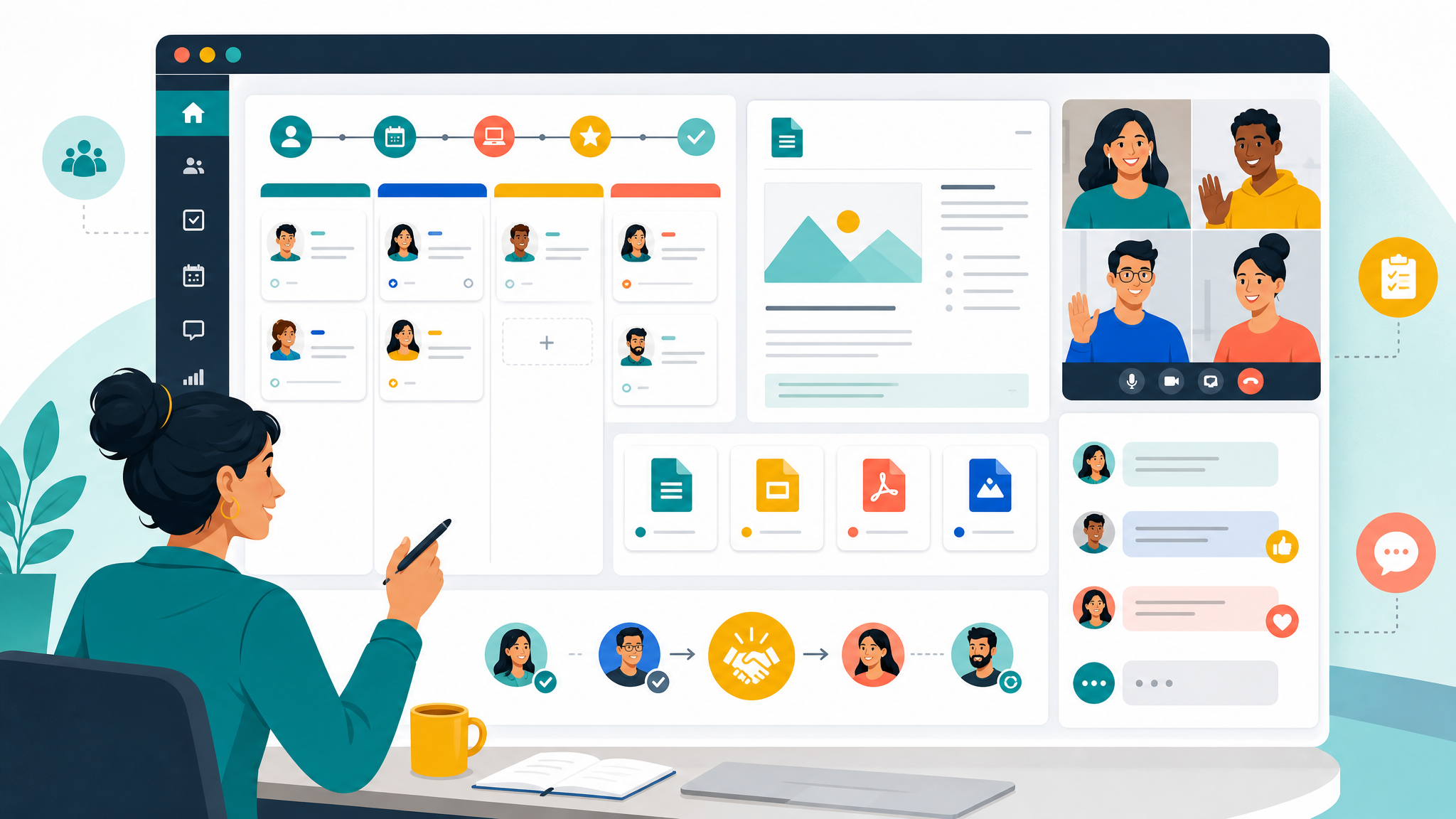
After that, walk through the workspace. Show where team tasks live, where docs are stored, where files are shared, where chat channels are used, and how video calls happen. This is especially important if your team uses an all-in-one workspace instead of separate tools. The new hire needs to understand how work flows, not just where buttons are.
Keep the first-day reading list short. Three to five documents are enough: role overview, team goals, product or customer overview, communication norms, and the first project brief. Anything more can wait.
Add a buddy check-in near the end of the day. This call should be informal and practical. The buddy can answer questions the new hire may not want to ask in a manager call: which meetings matter most, where decisions actually happen, which acronyms are common, and who owns what.
End day one with a manager note. Ask what is clear, what is confusing, and what is still blocked. The goal is not performance review. The goal is to remove friction before it becomes anxiety.
Day-one checklist:
- Welcome call completed.
- Account access confirmed.
- Workspace walkthrough completed.
- Core docs reviewed.
- Buddy introduced.
- First project explained.
- End-of-day questions captured.
Week one: balance context, people, and a small win
The first week is where onboarding turns from orientation into participation. A useful remote onboarding checklist should not only schedule meetings. It should help the new hire make a small contribution with enough support to understand why the work matters.
Use the week to cover company context, role context, team rituals, and one meaningful task. The manager should explain current priorities and how the role contributes to them. The buddy should help translate informal norms. Teammates should share what they own and how they collaborate with the new hire's role.
Do not make every conversation a formal onboarding meeting. A few short calls are better than one long training block. For example, a 20-minute product overview, a 20-minute customer context call, and a 30-minute team workflow walk-through are easier to absorb than a three-hour presentation.
The first small task matters. It should be visible enough that the new hire can see how the team plans, discusses, reviews, and completes work. Put the task in your task system, attach the relevant docs, name the reviewer, and define what "done" means.
If your team uses Edworking tasks, create a first-week onboarding board with columns such as Access, Learn, Meet, First Project, and Questions. That structure gives the new hire a map and gives the manager a simple way to spot blockers.
By the end of week one, the new hire should be able to answer:
- What are the team's top priorities?
- Where do I find reliable information?
- How do I ask for help?
- What meetings or rituals matter?
- What is my first project?
- How will my manager review early work?
Days 8-30: turn onboarding into real operating habits
The first month should move from guided setup to repeatable habits. This is where many remote onboarding programs get weak. The team assumes the new hire is "onboarded" after the first week, but the employee is still learning how decisions are made, how work gets reviewed, and what good judgment looks like.
Create a 30-day plan with three parts: responsibilities, relationships, and rhythm.
Responsibilities are the tasks or outcomes the new hire should begin owning. Keep the list short. A new product manager might own a small customer discovery note, a designer might own one low-risk UI improvement, and a customer success hire might own a small batch of account follow-ups.
Relationships are the people the new hire needs to understand. This includes direct collaborators, decision makers, handoff partners, and anyone who provides important context. Remote teams should schedule these introductions instead of hoping they happen naturally.
Rhythm is how the person works with the team each week. Define one-to-ones, async updates, planning rituals, document expectations, review cycles, and feedback channels. The new hire should know when to post an update, when to make a doc, when to request a call, and when to move a task forward without waiting.
Use shared docs to capture learning. Ask the new hire to keep a "first 30 days notes" document with questions, useful links, process observations, and unclear terms. This is not busywork. It helps the manager find gaps in the onboarding material and gives the employee a place to organize context.
Edworking's docs feature can help here because the same onboarding doc can link to tasks, files, and conversations. That matters when a new hire needs to trace why a decision was made, not just read the final answer.
By day 30, the new hire should have completed the first meaningful task, joined regular team rituals, contributed to at least one documented discussion, and received clear feedback on what to continue or improve.
Days 31-60: increase ownership without removing support
Days 31 to 60 are about expanding responsibility. The mistake is to either keep the new hire in training mode too long or drop support too quickly. A good checklist creates a controlled handoff.
Start by reviewing the first 30 days. Ask what was clear, what was missing, which documents were useful, which meetings helped, and which tasks created confusion. Then update the onboarding checklist while the experience is fresh.
Give the new hire a larger piece of work. It should require collaboration with at least one other person and should include a visible output: a shipped improvement, a customer-facing update, an internal process, a research summary, a sales enablement asset, or a team dashboard.
Clarify decision rights. Remote employees often hesitate because they cannot see how confident they are allowed to be. Name the decisions they can make alone, the decisions they should recommend, and the decisions that need manager approval.
Build feedback into the workflow. Instead of waiting for a formal review, attach feedback to the work itself. Comment on the doc, review the task, discuss the call notes, or record a short video explanation. Feedback is easier to apply when it is tied to the artifact the person just created.
If your team uses Edworking chat and video calls, define which topics deserve a quick call and which can stay async. New remote hires often default to either over-calling or under-communicating. A shared norm prevents both.
By day 60, the new hire should own a meaningful workflow, understand the main collaboration patterns, and know where they still need help.
Days 61-90: measure readiness and improve the system
The final month of onboarding should not feel like a graduation ceremony. It should feel like a readiness check.
Review outcomes against the role expectations. Did the new hire complete the first project? Did they learn the core systems? Are they communicating clearly? Do they understand priorities? Can they find and update the right docs? Are they building trust with teammates?
Use a simple 90-day scorecard. Include role outcomes, collaboration habits, communication clarity, learning progress, and manager confidence. Keep it practical. The goal is to decide what support comes next, not to create a bureaucratic evaluation.
Ask for onboarding feedback. Remote onboarding is a system, and every new hire tests that system. Ask which account was missing, which doc was confusing, which meeting felt unnecessary, which explanation came too late, and which person helped most.
Then update the checklist. This is the habit that turns onboarding from a one-off scramble into an operating asset. Each new hire should make the next onboarding experience slightly better.
By day 90, the new hire should have a clear work rhythm, a useful network inside the company, a documented understanding of core processes, and a next-quarter plan.
Common remote onboarding mistakes to avoid
The first mistake is treating onboarding as information transfer. New hires do need information, but they also need sequence, context, practice, feedback, and relationships.
The second mistake is scattering onboarding across too many tools. A doc in one platform, tasks in another, files in another, chat in another, and calls somewhere else can work for an experienced employee. For a new hire, it adds unnecessary cognitive load. If you can keep the plan, docs, files, conversations, and meetings closer together, do it.
The third mistake is forgetting the manager's role. HR can support onboarding, but the manager owns role clarity. The manager should define the first project, expected outcomes, decision rights, feedback rhythm, and what good performance looks like.
The fourth mistake is relying only on live calls. Calls are valuable, but they do not scale as memory. Document important explanations, meeting notes, process decisions, and role expectations. The new hire should be able to revisit context without asking the same question three times.
The fifth mistake is waiting too long to give feedback. Remote employees can misread silence as approval or disapproval. Give early, specific feedback tied to real work.
FAQs
Turn your checklist into a shared workspace
A remote onboarding checklist is only useful if people actually use it. Keep it close to the work. Turn setup items into tasks, store role context in docs, keep files in the same place, discuss questions in chat, and schedule the right video check-ins.
That is the difference between a static checklist and an onboarding system. A static checklist tells people what should happen. A shared workspace helps the team make it happen.
If your team wants one place for onboarding tasks, docs, files, chat, and calls, explore Edworking for small teams. It gives distributed teams a simpler way to bring new hires into real work without making them chase context across disconnected tools.