
 Download Mobile App


A little direction. A better first draft.
AI Introduction Generator
Start essays, reports, proposals, and project documents with a clear opening paragraph. Edworking’s AI Introduction Generator turns your topic, audience, and notes into a focused introduction you can refine in Docs and route for review through Tasks.
02Your draft
Your next draft starts here
Add your brief or choose an example. Your generated text will appear here, ready to review, copy or download.
AI drafts need your judgement. Check facts, meaning and suitability before using them.
Before you use it
- Check names, facts and any sources.
- Keep the meaning and details that matter.
- Adjust the draft to sound like you.
How it works
Make the brief do the hard work
A useful result starts with a little context. Work through these three steps, then make the output your own.
Open the tool01Give it context
Add the source material, topic or goal. Include the details the result must keep.
02Shape the result
Choose the settings that fit your audience. Start with an example if you need a little direction.
03Review and take it further
Check the output, copy or download it, then bring it into your next document or project.
Open documents with context and focus
Move from a blank page to an introduction that explains the topic, the problem, and the route the reader can expect.
Essays and research work
Frame the topic, research question, and scope before moving into the body of the paper.
Explore the workspaceBusiness reports and proposals
Summarize the decision context and show stakeholders why the document deserves attention.
Explore the workspaceProject briefs and recaps
Turn notes, decisions, and blockers into an opening that helps teammates understand what changed.
Explore the workspaceGenerate, refine, and approve in three steps
Keep the opening paragraph, comments, and approvals in one Edworking workspace.
- 01
Add context
Paste the topic, audience, goal, and key points so the AI understands the job of the introduction.
- 02
Refine in Docs
Edit the opening paragraph beside your outline, notes, and source material.
- 03
Review with Tasks
Assign a teammate to check tone, accuracy, and scope before the document is shared.
Quality checks before you publish
Use the output as a draft, then verify the opening guides the reader without making claims the document cannot support.
Clear objective
The introduction explains what the document will do and what it will not cover.
Explore the workspaceReader fit
Tone and detail level match the audience, whether academic, executive, or internal.
Explore the workspaceReview trail
Comments, approvals, and final edits stay attached to the Doc through Tasks.
Explore the workspaceAI Introduction Generator
Choose What to Put into Practice
Pick the points that fit your idea or project. We’ll create a Space with those tasks so you can put this page into practice.
- 01Choose the tasks that matter to you.
- 02Set up a Space with your selected tasks.
- 03Add owners, dates and details in Edworking.
0 tasks selected
Select at least one task to set up your Space.
From a first idea to shared work
Make something. Then make it happen.
A draft or visual is just the start. Explore how Docs, Files and Tasks keep the next steps together in Edworking.
Bring a draft into a shared document. Edit the wording and keep the discussion beside the work.
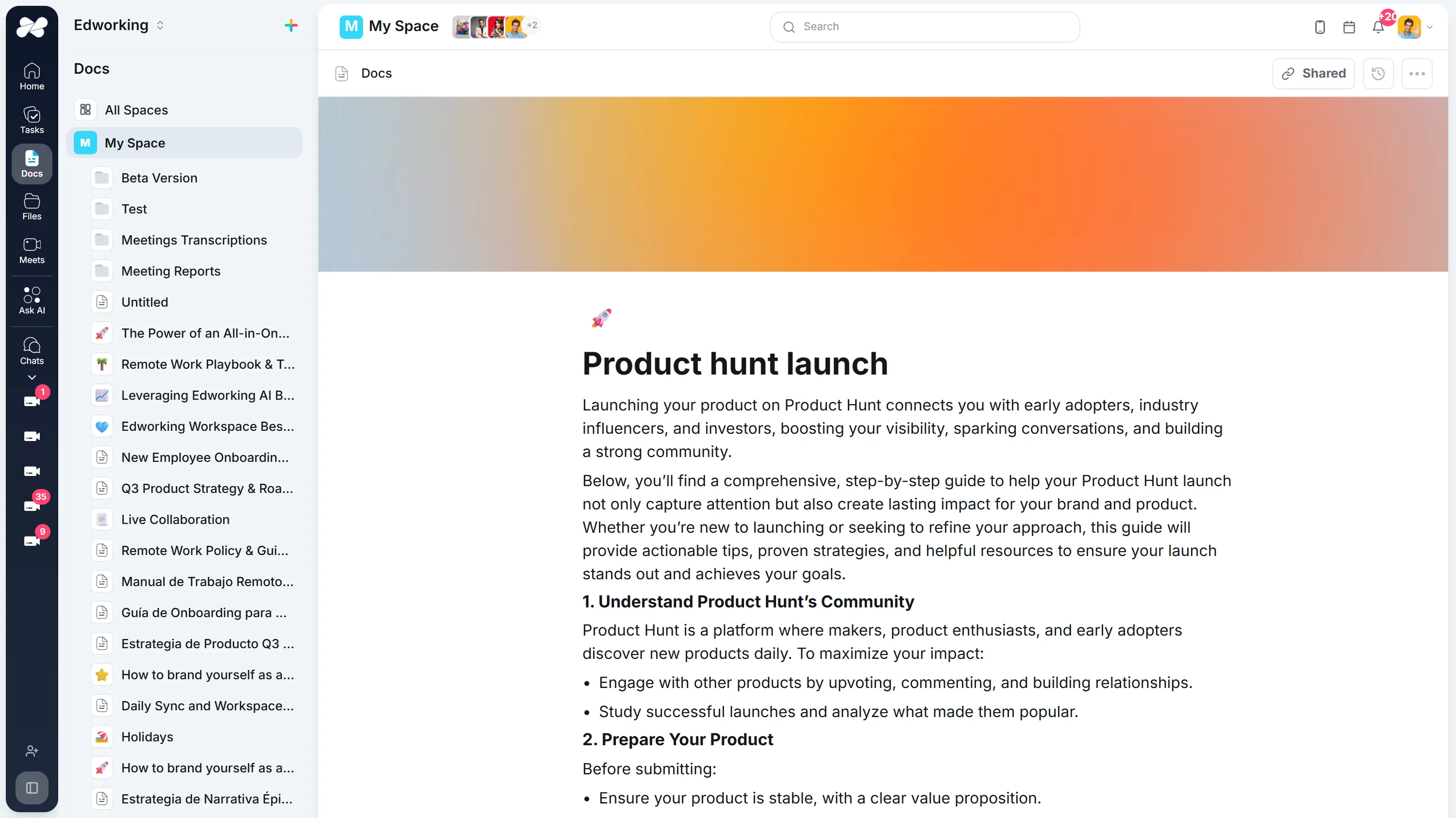
Opens the full interactive demo with an example workspace in English. Generated results are not saved to the demo automatically.
KEEP EXPLORING
Similar Tools
A useful next step, whether you are refining a draft, planning work or learning more about your team.
Conclusion Generator for Essays and Reports
Generate a draft conclusion for an essay, report, proposal, or recap. Check the main takeaway, supporting points, tone, and next step before publishing.
Open toolParagraph Rewriter
AI paragraph rewriter for teams—refresh copy in Docs, preserve mandatory terminology, and route approvals through Tasks without leaving Edworking.
Open toolParaphrasing Tool
Paraphrase long-form content with brand-safe AI, collaborate in Docs, capture reviewer comments, and assign follow-up Tasks from the same workspace.
Open toolAI Rewording Tool with Approval Workflows
Collaborative AI rewording for regulated teams. Preserve tone, enforce glossaries, collect approvals, and publish updates directly inside Edworking.
Open toolAI Essay Hook Generator
Generate opening sentences for essays and other content. Compare question, contrast, scene, and fact-led hooks, then edit the result to match your topic and tone.
Open toolBook Summary Generator
Quickly grasp the core ideas of any book with our AI-powered Summary Generator. Ideal for enhancing comprehension and saving time.
Open toolFrequently Asked Questions
Use it for essays, reports, proposals, project briefs, meeting recaps, and internal documents that need a clear opening paragraph. Add the topic, audience, and purpose, then refine the draft in Edworking Docs.
Give the generator context: the document type, reader, main problem, objective, and preferred tone. Specific inputs produce openings that sound less generic and connect better to the rest of the document.
Yes. Move the draft into Edworking Docs, mention teammates for comments, and create Tasks for final review or approval so feedback stays connected to the document.
No. It gives you a strong first draft. You should still check accuracy, add source context, and adjust the opening so it matches your voice and the final structure of the document.