Download Mobile App
Project decisions are easy to make in the moment and surprisingly easy to lose later. A decision might start in a meeting, continue in chat, get clarified in a document, and finally become three tasks on a project board. Two weeks later, the team remembers the outcome but not the reason, the tradeoffs, or who agreed to review it.
A decision log template gives that context a stable home. It is not bureaucracy for its own sake. It is a small operating habit that helps founders, project managers, product leads, and remote teams stop re-litigating the same choices.
Quick takeaway: A good decision log captures the decision, context, owner, rationale, alternatives, follow-up tasks, and review date in one searchable place.
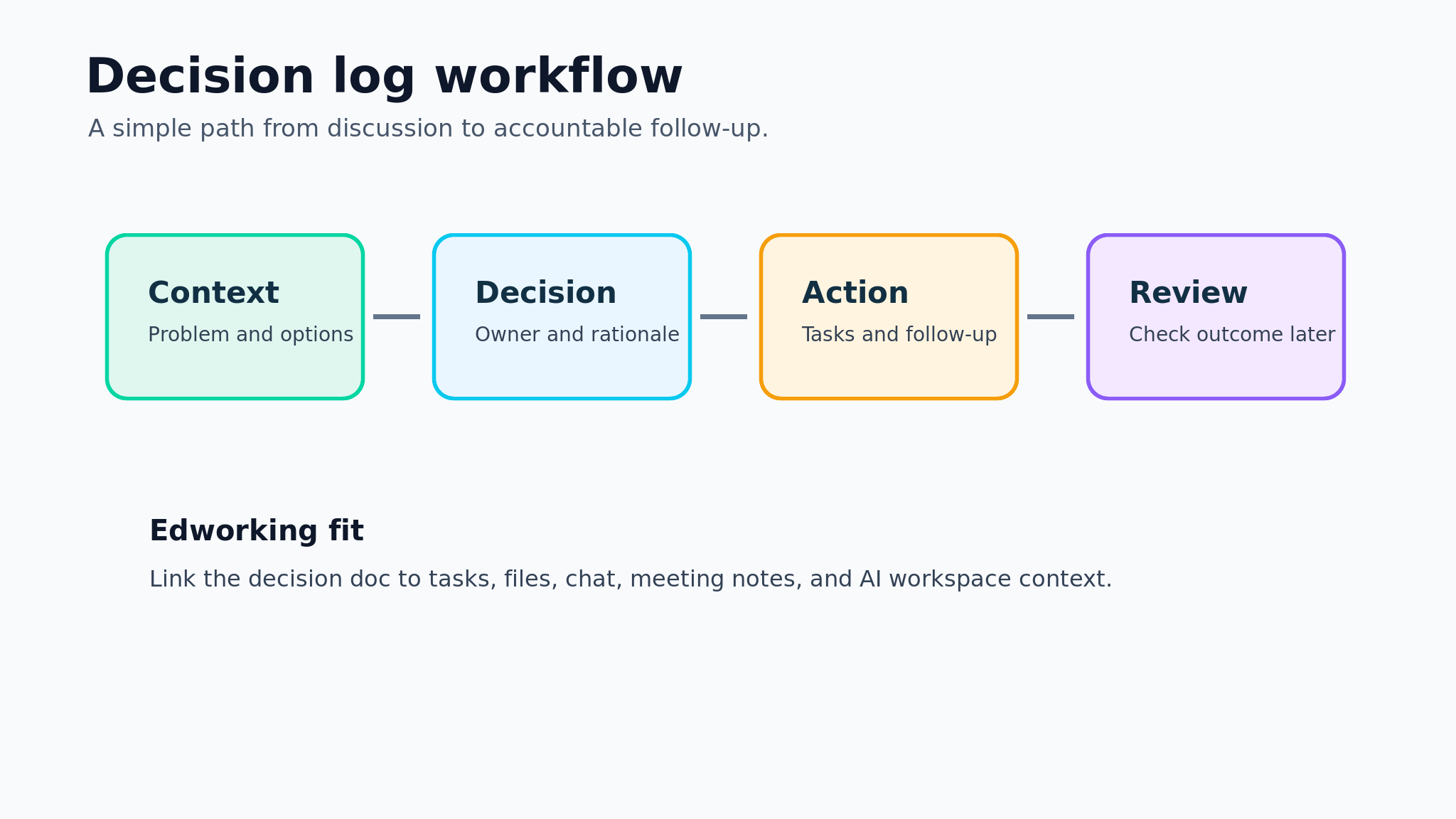
 What is a decision log?
A decision log is a running record of meaningful choices made during a project or team workflow. It records what was decided, why it was decided, who was involved, and what needs to happen next.
The best decision logs are short enough to maintain during busy work. They are structured enough to make sense months later when someone asks why a launch scope changed, why a vendor was selected, or why the team chose one workflow over another.
- Decision — What to capture: The final choice in plain language; Why it matters: Prevents vague memories and mixed interpretations
- Context — What to capture: The problem, constraint, or trigger; Why it matters: Shows why the decision mattered
- Owner — What to capture: One accountable person or team; Why it matters: Avoids orphaned follow-up work
- Rationale — What to capture: The main reason and tradeoffs; Why it matters: Helps future teammates understand the logic
- Review date — What to capture: When to revisit the choice; Why it matters: Keeps temporary decisions from becoming permanent by accident
Decision rule: If a choice affects scope, budget, timeline, ownership, customer impact, or future work, it belongs in the decision log.
When should a team use a decision log template?
Use a decision log when decisions are happening faster than the team can remember them. This is common in startups, client work, remote projects, product launches, and cross-functional initiatives where context lives across multiple tools.
You do not need to log every tiny preference. Choosing a button label, a meeting time, or a file name rarely needs a formal record. Choosing to reduce launch scope, delay a milestone, change ownership, switch a tool, or accept a risk does.
- A project decision changed scope, cost, timing, or owner.
- A stakeholder approved an exception or tradeoff.
- A meeting ended with action items that depend on one choice.
- A team chose between several reasonable options.
- A temporary workaround needs a review date.
- A customer, partner, or leadership decision may need context later.
Teams using Edworking can keep the decision log in a doc, link it to project tasks, discuss edge cases in chat, attach supporting files, and connect follow-up meetings in the same workspace. That makes the log easier to use than a separate spreadsheet that nobody opens.
The decision log template fields
A useful template should be simple enough to fill out in under two minutes. If it takes longer than the decision itself, the team will stop using it.
Start with the fields below, then remove anything your team will not maintain. The goal is a reliable record, not a perfect archive.
- Date — Recommended format: YYYY-MM-DD; Example: 2026-07-06
- Decision title — Recommended format: One sentence; Example: Move beta launch to private rollout
- Status — Recommended format: Proposed, decided, reviewed, reversed; Example: Decided
- Owner — Recommended format: Person responsible for follow-up; Example: Product lead
- Participants — Recommended format: People consulted or approving; Example: Founder, design, engineering
- Context — Recommended format: Short problem statement; Example: Public launch risk is too high
- Options considered — Recommended format: Two to four realistic options; Example: Public launch, private beta, delay
- Decision — Recommended format: Clear final choice; Example: Private beta with 20 customers
- Rationale — Recommended format: Why this option won; Example: Faster learning with lower support risk
- Follow-up tasks — Recommended format: Linked tasks or next steps; Example: Update launch plan, notify users
- Review date — Recommended format: When to check whether it worked; Example: 2026-08-01
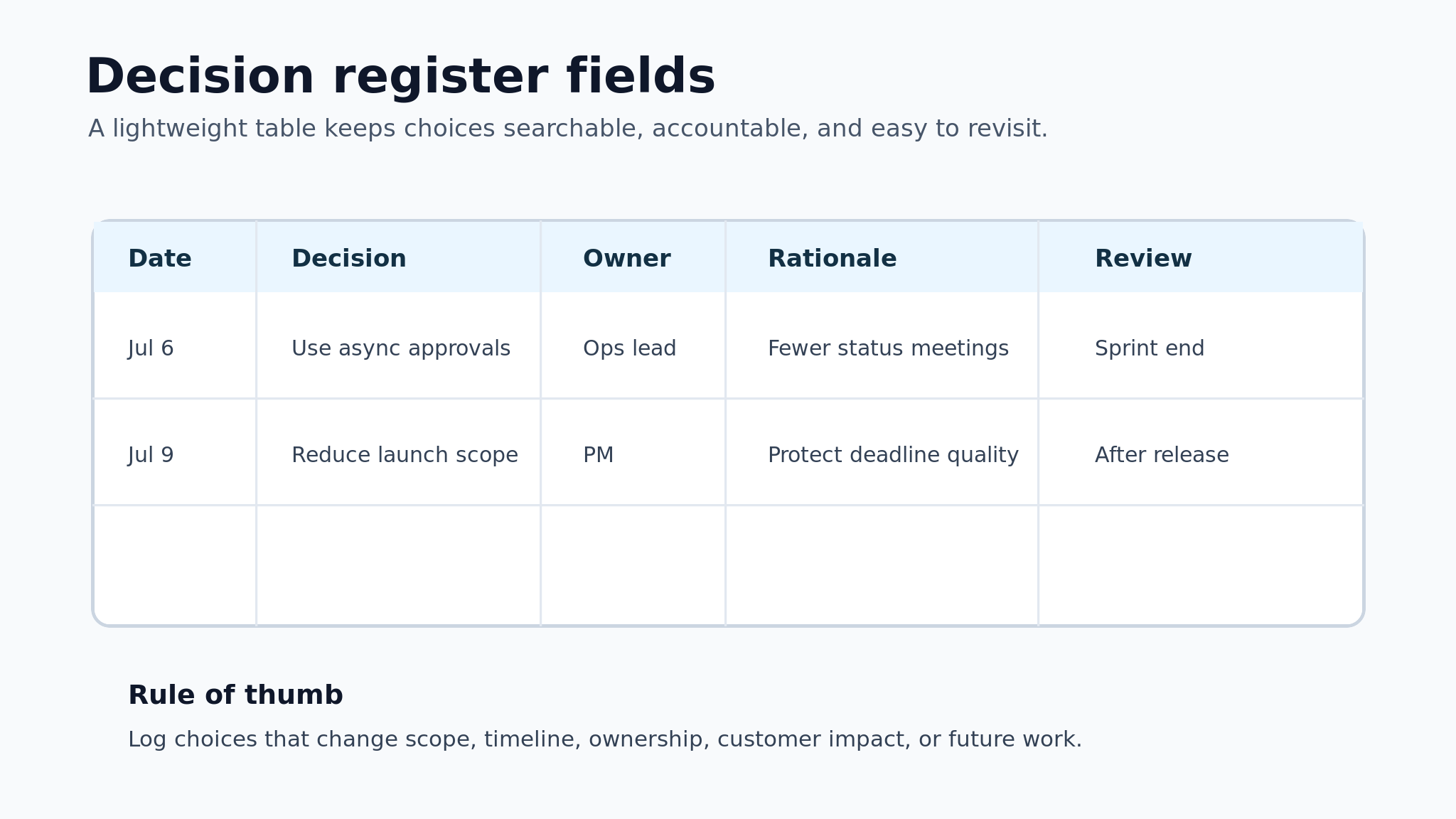
Edworking tip: Link each decision to the task or document it changes. A decision log becomes more useful when it is connected to actual project work instead of sitting as a static list.

How to fill in the template during real work
The easiest way to maintain a decision log is to attach it to the moment when decisions already happen. Do not create a separate ceremony unless the project is heavily regulated or high risk.
Use this workflow during a meeting, async discussion, or project review:
- Name the decision. Write the choice as a sentence, not a vague topic.
- Add the context. Include the constraint, trigger, or problem the team is solving.
- Record options considered. List the serious alternatives, even if they were rejected quickly.
- Assign one owner. The owner does not have to be the only decision-maker, but someone must drive follow-up.
- Link next actions. Connect the decision to tasks, docs, files, or meeting notes.
- Set a review date. Decide when the team will check whether the choice still holds.
Mistake to avoid: Do not write "we discussed launch scope" as the decision. Write "we reduced launch scope to the onboarding flow and delayed billing settings until the next release."
Practical example: a startup launch decision
Imagine a five-person startup preparing a public launch. The product is usable, but support workflows are not ready. The founder wants momentum, engineering wants one more sprint, and customer success worries about onboarding confusion.
Example: The team decides to run a private beta with 20 customers instead of a full public launch. The decision log captures the context, the rejected options, the owner, and the review date. The launch plan task is updated, the customer list is attached, and the next review meeting is linked.
The decision log entry might look like this:
- Decision — Entry: Run a private beta with 20 customers before public launch
- Context — Entry: Public onboarding and support docs are not ready
- Options — Entry: Launch publicly, delay launch, or run private beta
- Owner — Entry: Founder
- Rationale — Entry: Private beta preserves momentum while reducing support risk
- Follow-up — Entry: Update roadmap, create onboarding docs, schedule beta review
- Review date — Entry: Two weeks after beta starts
In Edworking, that entry can live in the project launch doc while the related tasks stay on the board. The team can discuss open questions in chat, keep beta files attached, and use Edworking Brain later to ask why the launch plan changed.
Decision log owner and review cadence
The owner of a decision log is usually the project manager, product lead, founder, or operations lead. In small teams, the owner can rotate by project. What matters is that one person keeps the log current and closes the loop on review dates.
Review cadence depends on the pace and risk of the work. A weekly project review is enough for many teams. Fast-moving launches may need a quick review during each sprint planning session.
- Startup launch — Suggested owner: Founder or product lead; Review cadence: Weekly until launch
- Client project — Suggested owner: Project manager; Review cadence: Weekly client/internal review
- Engineering decision — Suggested owner: Tech lead; Review cadence: Sprint planning and retrospective
- Remote operations — Suggested owner: Operations lead; Review cadence: Monthly
- Cross-functional campaign — Suggested owner: Campaign owner; Review cadence: Before each milestone
- Review decisions with upcoming due dates.
- Check whether follow-up tasks are still assigned.
- Mark old decisions as reviewed, reversed, or still valid.
- Add missing rationale while the team still remembers it.
- Link new documents, files, meeting notes, or task updates.
Common mistakes to avoid
Most decision logs fail because they become too heavy, too hidden, or too disconnected from work. A lightweight template will beat a perfect spreadsheet that the team ignores.
- Logging every minor preference — Better approach: Log decisions that affect scope, ownership, risk, or future work
- Writing long meeting minutes — Better approach: Capture the decision, rationale, owner, and next action
- No owner — Better approach: Assign one accountable person for follow-up
- No review date — Better approach: Add a date for temporary or risky choices
- Keeping the log separate from tasks — Better approach: Link the log entry to the work it changes
- Hiding disagreement — Better approach: Record the main tradeoff and alternatives considered
Quick takeaway: The log should make future work easier. If it only creates another place to update, simplify the template.
Copy-and-use decision log template
Use this version as a starting point. Keep it in your project doc, team knowledge base, or workspace template library.
- Decision title — Entry: To fill in
- Date — Entry: To fill in
- Status — Entry: Proposed / decided / reviewed / reversed
- Owner — Entry: To fill in
- Participants — Entry: To fill in
- Context — Entry: To fill in
- Options considered — Entry: To fill in
- Final decision — Entry: To fill in
- Rationale — Entry: To fill in
- Follow-up tasks — Entry: To fill in
- Related docs or files — Entry: To fill in
- Review date — Entry: To fill in
- Review outcome — Entry: To fill in
For remote teams, add links instead of copying context into every field. Link the task that changed, the document that explains the plan, the file that supports the choice, and the meeting note where approval happened.
How Edworking supports decision logs
A decision log is strongest when it sits close to the work it affects. Edworking helps because tasks, docs, files, chat, video calls, and AI workspace context are part of one connected space.
You can keep the decision log as a shared doc, link each entry to follow-up tasks, attach files that informed the decision, and keep questions in the same project chat. When the team revisits a choice, the context is not scattered across a note app, a chat archive, a meeting tool, and a file drive.
Useful Edworking links for this workflow:
- Project management workspace
- Docs for team knowledge
- Tasks for follow-up ownership
- Chat for decision discussion
- Video calls for review meetings
- Project management templates
FAQs
Final checklist
Before you call the decision log ready, check that it helps the next person understand the work.
- Each decision is written as a clear sentence.
- The owner and next action are obvious.
- The rationale explains why the team chose this option.
- Important alternatives are captured without turning the log into meeting minutes.
- Follow-up tasks, docs, files, or meetings are linked.
- Temporary choices have a review date.
- Old decisions are marked reviewed, reversed, or still valid.
A decision log should reduce repeated conversations, not create administrative drag. Start small, keep it close to the project, and make each entry useful enough that a teammate can understand the choice without asking everyone to remember the meeting.
For decisions that need sign-off before action, use an approval workflow guide so the approval, owner, and next task are visible before the decision is logged.