Download Mobile App
Approval workflows are supposed to make work move faster. In many small teams, they do the opposite. A proposal sits in chat, a client file waits in someone's inbox, a budget change gets a thumbs-up but no record, and nobody is completely sure whether the work is ready to ship.
This approval workflow guide shows how to design a simple review process that fits a small team without creating corporate overhead. We will cover what needs approval, who should approve it, how to set review rules, and how to keep the decision visible after the approval happens.
Quick takeaway: a useful approval workflow is not a long chain of signatures. It is a clear path from request to review to decision to next action, with one owner, one place for context, and a visible record.
 What an approval workflow actually needs to do
An approval workflow is a repeatable path for reviewing and authorizing work before it moves forward. The work might be a document, project change, client deliverable, expense request, hiring decision, design asset, or product release note.
The important word is repeatable. If each request needs a new conversation about who decides, where the file is, and what counts as approved, the team is not running a workflow. It is improvising.
- Route the request to the right reviewer or approver.
- Show the context needed to make a decision.
- Make the decision visible to the people doing the work.
- Create a record that can be found later.
- Turn the approval into a next action, not just a comment.
Edworking tip: approvals work better when the request, document, task, file, chat comments, and meeting notes sit in the same workspace instead of spreading across email, drives, and private messages.

Where small-team approvals usually break
Small teams often avoid approval processes because they do not want bureaucracy. That instinct is healthy. The problem is that informal approval habits still create hidden process. They just make the process harder to see.
A founder may approve every small change because nobody knows the threshold. A project manager may wait for feedback from three people when one owner would be enough. A client may send final approval in email while the delivery team is discussing revisions in chat.
Structured comparison: informal approval vs clear workflow
- Informal approval: the request lives in chat. Clear workflow: the request starts as a task with owner, due date, files, and decision criteria.
- Informal approval: reviewers add mixed comments in different places. Clear workflow: feedback is attached to the document, task, or file being reviewed.
- Informal approval: approval is implied by silence or a reaction. Clear workflow: the decision is recorded as approved, changes requested, rejected, or escalated.
- Informal approval: follow-up work depends on memory. Clear workflow: the next task is assigned immediately after the decision.
Mistake to avoid: do not add more approval steps to fix unclear ownership. First decide who owns the decision. Then decide whether any other review is truly required.
Pick the right approvals for the workflow
Not every decision deserves a formal approval path. A small team should reserve approvals for work where delay, risk, client expectations, money, security, or brand quality matter. Everything else can use normal task ownership and peer feedback.
The easiest way to choose is to define approval categories. Categories prevent the team from debating every request from scratch, and they help new people understand when to ask for sign-off.
- Client deliverables: proposals, statements of work, campaign drafts, final assets, and handoff documents.
- Project changes: scope changes, timeline shifts, milestone changes, and dependency decisions.
- Knowledge and documentation: policies, SOPs, support pages, onboarding material, and public-facing help content.
- Money and access: expenses, vendor tools, account permissions, and paid software changes.
- Launch readiness: release notes, landing pages, sales collateral, and announcements.
If a request does not fit one of those categories, ask whether it really needs approval. Many low-risk tasks only need a responsible owner and a clear definition of done.
Build the approval workflow in five steps
A useful approval process workflow should be simple enough to run every week. The following five-step structure works for most small teams because it separates the request, review, decision, and execution work without adding unnecessary layers.
- Step 1: Create an intake task. Include the request, owner, deadline, source files, desired outcome, and the reason approval is needed.
- Step 2: Add decision criteria. Tell reviewers what to check, such as accuracy, budget, brand fit, legal risk, client scope, or readiness to publish.
- Step 3: Assign one accountable approver. Contributors can comment, but one person should own the final decision.
- Step 4: Set a response window. Use a realistic deadline and define what happens if the approver is unavailable.
- Step 5: Convert the decision into action. If approved, assign the next task. If changes are requested, assign the revision owner and due date.
Decision rule: if a workflow needs more than two approval levels, name the risk that justifies each level. If you cannot name the risk, the extra step is probably slowing the team down.
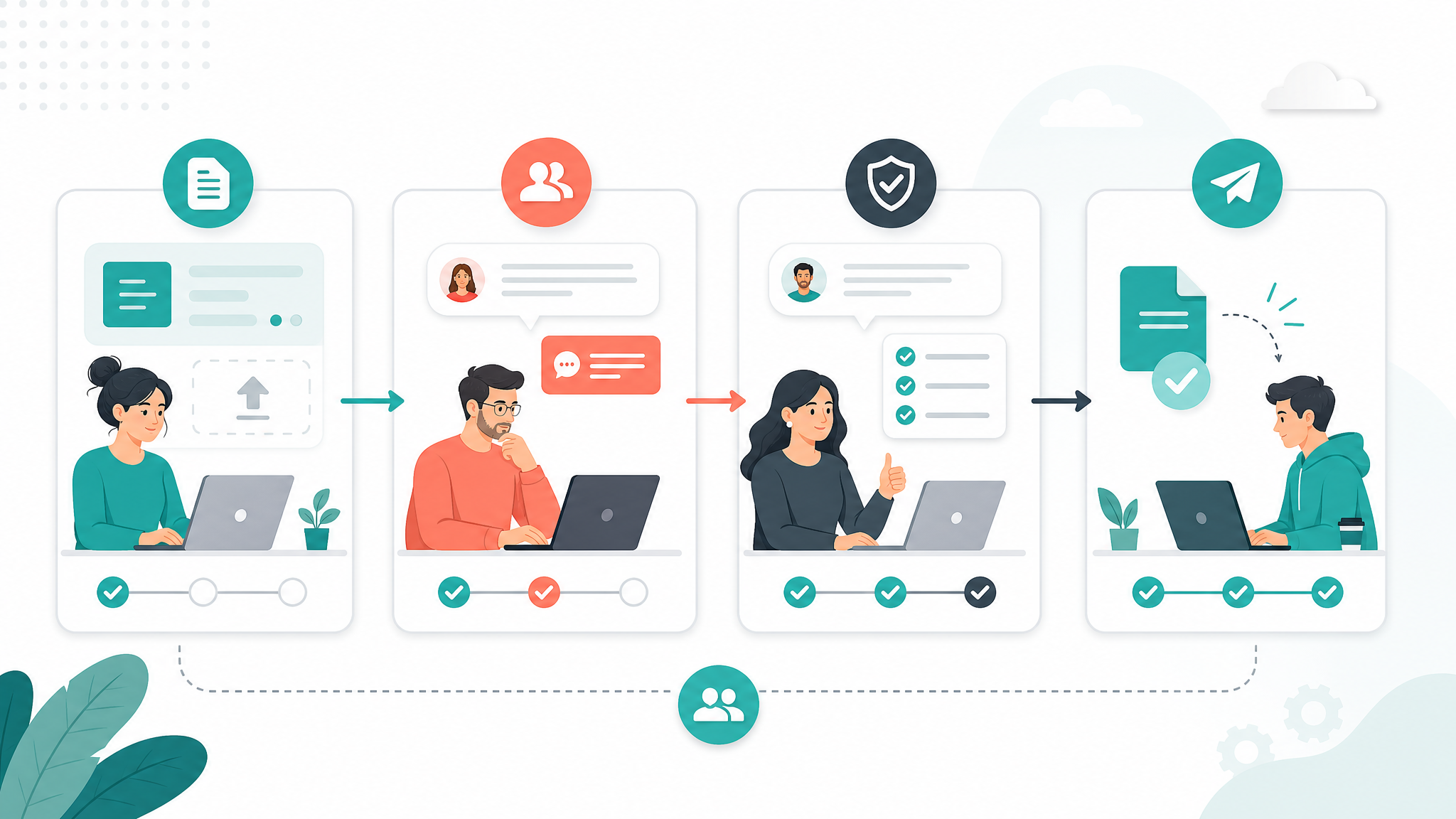

Approval workflow checklist for remote teams
Remote approval workflows need more explicit context because the approver cannot rely on hallway conversations. The request should answer the obvious questions before the reviewer has to ask them.
- Checklist item: every approval request has one owner and one accountable approver.
- Checklist item: the request includes the linked document, file, task, or deliverable being reviewed.
- Checklist item: the approver can see the deadline, decision criteria, and business reason.
- Checklist item: comments are attached to the work, not scattered across private messages.
- Checklist item: the status options are clear: approved, changes requested, rejected, or escalated.
- Checklist item: approval creates a next task, delivery step, or archived decision record.
- Checklist item: urgent approvals have a backup approver or escalation path.
- Checklist item: recurring approvals are reviewed monthly so stale steps can be removed.
Quick takeaway: the best remote approval workflow reduces clarification messages. A reviewer should be able to open the request and know what decision is needed, why it matters, and what happens next.
Practical example: approving a client proposal
Imagine a five-person agency preparing a proposal for a new client. The team needs input from delivery, finance, and the founder, but the final approval should not bounce around all week.
The project lead creates one approval task and links the proposal document, pricing sheet, client notes, and timeline assumptions. The task names the founder as the final approver, gives finance and delivery a review window, and lists the decision criteria: margin, scope clarity, timeline feasibility, and client promises.
Example: Finance comments that the discount is acceptable only if the first milestone is paid upfront. Delivery flags one timeline risk. The project lead revises the proposal, tags the founder, and the founder approves the final version in the task. The next action is assigned immediately: send the proposal and log the decision in the client workspace.
- Before the workflow: feedback was split between email, chat, and a spreadsheet.
- After the workflow: the team can see the final proposal, the reason for the pricing decision, and the owner of the client follow-up.
This is where a workspace like Edworking helps. The team can keep the proposal in Docs, assign review tasks, discuss changes in chat, attach files, jump into a video call when needed, and use Edworking Brain to summarize comments before the final decision.
How to choose approval workflow software
Approval workflow software should remove coordination work, not create a separate place everyone has to check. For small teams, the most useful approval features are usually visibility, ownership, linked context, and fast follow-up.
- Look for task ownership, due dates, and status fields that make the approval stage visible.
- Look for docs and file storage so the approver reviews the actual work, not a disconnected summary.
- Look for comments, chat, and meeting context so questions are resolved near the request.
- Look for search and records so approved decisions can be found later.
- Look for AI summaries when long review threads need a concise decision brief.
Large automation platforms can be valuable for finance, procurement, or compliance-heavy workflows. Microsoft explains approvals in Power Automate, and Atlassian defines approval process workflows as structured steps for review and authorization. For many small teams, though, the first win is simpler: one workspace where the approval context, conversation, and next action stay together.
Common approval workflow mistakes to avoid
A broken approval process usually fails for predictable reasons. The team either approves too much, asks the wrong people, hides the context, or forgets to connect the decision to execution.
- Mistake: every task needs manager approval. Better approach: approve only risky, client-facing, financial, or irreversible work.
- Mistake: approval requests are sent as vague chat messages. Better approach: create a request with files, decision criteria, and deadline.
- Mistake: several people can approve but nobody owns the final call. Better approach: separate reviewers from the accountable approver.
- Mistake: approval is recorded as a reaction or informal comment. Better approach: use a visible status and a short decision note.
- Mistake: approved work still waits for handoff. Better approach: assign the next execution task as soon as the approval is complete.
Edworking tip: if approvals keep stalling, review the workflow in a short meeting and ask which step creates the delay. Then remove, combine, or clarify that step instead of adding another reminder.
FAQs
Turn approvals into visible teamwork
A good approval workflow is not about slowing work down. It is about making important decisions clear enough that the team can move without chasing context. Start small: choose two or three approval categories, define one accountable approver for each, and keep every request attached to the work being reviewed.
Decision rule: when approval work becomes visible, the team can improve it. Review stale approval paths every month and remove any step that no longer protects quality, budget, or client trust.
If your team is already using separate tools for tasks, documents, files, chat, and meetings, approvals will always be harder to track than they need to be. Edworking gives small teams one workspace for the request, the review, the decision, and the follow-up task, so approval becomes part of the work instead of another inbox to manage.
For the product-led side of this topic, see Edworking's approval workflow solution. You can also connect this process with async collaboration, client collaboration, and the decision log template.
If approvals are part of a wider client delivery process, map them inside an agency project management workflow that keeps briefs, files, feedback, and final decisions connected.