Download Mobile App
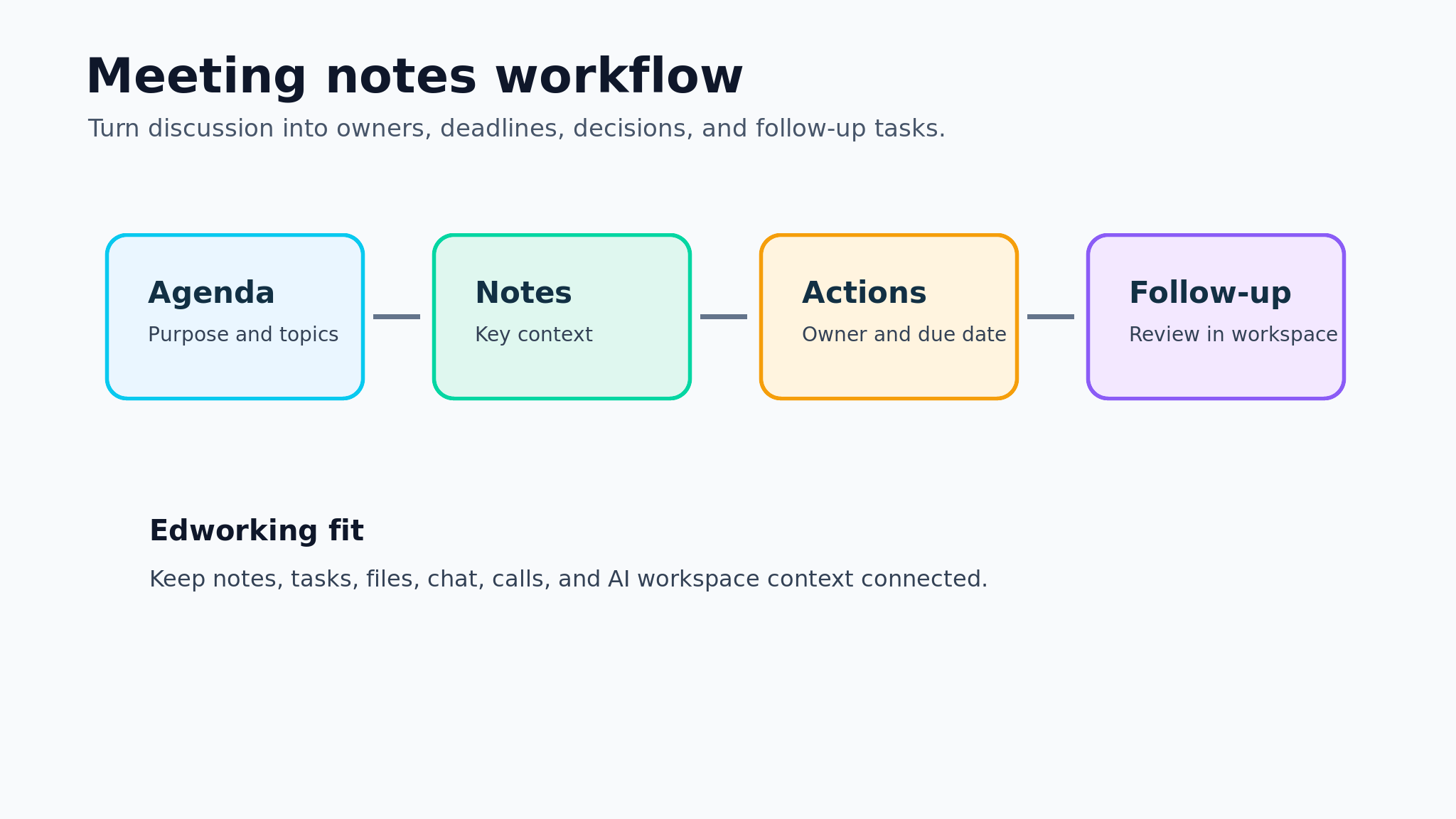
Most meetings do not fail because people talked about the wrong things. They fail because the useful parts disappear after the call ends. A decision is mentioned, a follow-up is promised, a blocker is raised, and then everyone returns to their own tools with a different memory of what happened.
A meeting notes template gives the team a simple shared record. It is not a transcript and it is not a place to store every sentence. It is a practical structure for capturing outcomes: why the meeting happened, what changed, who owns the next step, and where the follow-up work lives.
**Quick takeaway:** Useful meeting notes turn conversation into decisions, action items, owners, due dates, blockers, and links to the work that changed.
 What should a meeting notes template include?
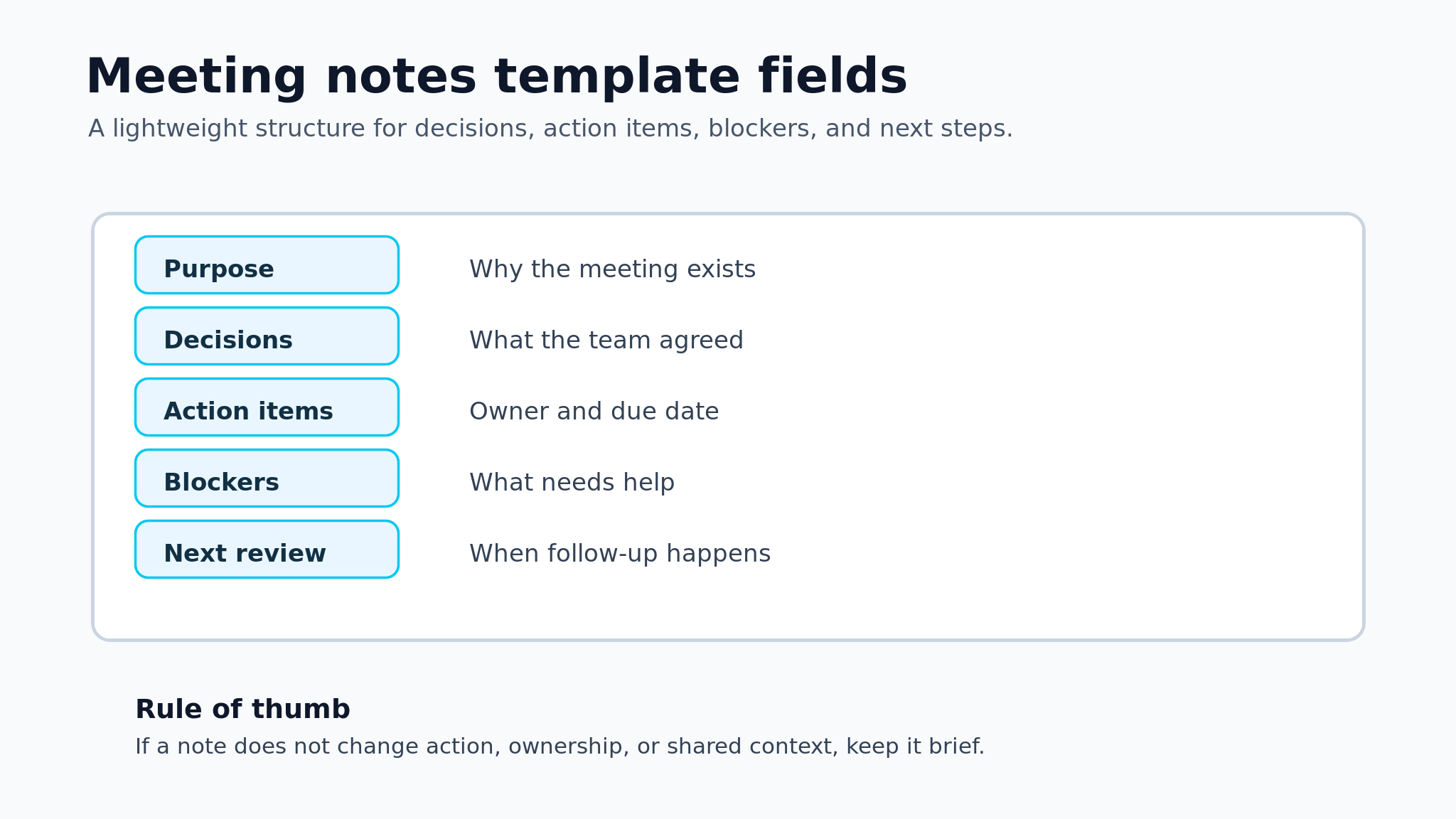
A good template starts with context, then moves quickly to outcomes. The reader should be able to open the note later and understand the purpose, decisions, action items, blockers, and next review without replaying the whole meeting.
The exact fields can change by team, but the core structure should stay lightweight. If a template is too long, people will stop filling it out. If it is too loose, the notes become a diary instead of a work record.
- Section: What to capture; Why it matters
- Meeting purpose: The reason this meeting exists; Keeps notes tied to an outcome
- Attendees: People present or consulted; Makes accountability clearer
- Decisions: Final choices made during the call; Prevents repeated debate later
- Action items: Owner, task, and due date; Turns notes into visible work
- Blockers: Risks, open questions, or dependencies; Shows where help is needed
- Links: Docs, files, tasks, or recordings; Keeps context findable
**Decision rule:** If the meeting created work for someone, the note is not complete until that work has an owner and a next step.
Meeting notes vs meeting minutes
Meeting notes and meeting minutes are related, but they are not the same thing. Minutes are often more formal and may be required for boards, compliance, public records, or official decisions. Meeting notes are usually more practical and team-facing.
For most startups, remote teams, and project groups, meeting notes should be outcome-led. They should help people act after the meeting, not prove that every topic was discussed.
- Format: Best for; Main output
- Meeting notes: Team syncs, project reviews, async follow-up; Decisions, action items, links
- Meeting minutes: Boards, governance, formal approvals; Official record and motions
- Transcript: Interviews, research, legal or training review; Complete conversation text
- Summary: Leadership updates or quick recaps; High-level takeaways
Teams using Edworking can keep lightweight notes in a shared doc, link the action items to tasks, attach supporting files, and continue the discussion in project chat. That makes the note part of the work instead of a separate artifact.
Copy-and-use meeting notes template
Use this version when you need a dependable default for project meetings, startup check-ins, client calls, product reviews, or remote team syncs. Keep it short enough to fill out during the meeting.
- Meeting title:
- Date and time:
- Purpose:
- Attendees:
- Agenda items:
- Decisions made:
- Action items with owner and due date:
- Blockers or risks:
- Links to docs, files, tasks, or recordings:
- Next review or follow-up meeting:
**Edworking tip:** Create the note in the same workspace where the team tracks tasks. When an action item appears, turn it into a task immediately and link back to the note.
How to take meeting notes that people use
The easiest way to improve meeting notes is to write for the person who was not there. That person does not need every aside. They need the reason, the choice, the owner, and the next step.
Use a consistent flow during the meeting:
- Start with the purpose and expected outcome.
- Capture decisions as complete sentences.
- Convert each action item into an owner-plus-deadline format.
- Mark blockers separately from general discussion.
- Link the note to related tasks, docs, files, or recordings.
- End by confirming the follow-up owner and review date.
**Mistake to avoid:** Do not write "marketing follow-up" as an action item. Write "Maya will update the launch checklist by Friday and tag the design owner if the landing-page assets are still missing."

Practical example: weekly startup operations meeting
Imagine a small remote startup running a weekly operations meeting. The founder, product lead, support lead, and operations manager need to review customer issues, hiring needs, product launch blockers, and cash runway tasks.
**Example:** The team decides to pause a low-priority feature, move two support tasks into the launch board, and schedule a documentation review before the next customer onboarding batch. The meeting note captures each decision, then links the follow-up tasks to the project board.
The resulting note could look like this:
- Field: Example entry
- Purpose: Weekly operations review before beta onboarding
- Decision: Pause analytics export until after onboarding fixes
- Owner: Product lead
- Action item: Move export task to next sprint backlog
- Blocker: Support docs need screenshots before Friday
- Follow-up: Review onboarding docs in next weekly meeting
In Edworking, the same note can link to the onboarding doc, the launch board, support files, and the next video call. Edworking Brain can also help teammates ask what changed in the meeting without searching across separate tools.
Action items need owners, dates, and context
Action items are the part of meeting notes most likely to create real value. They are also the part most likely to become vague. A note that says "follow up on customer feedback" does not tell anyone who should act or when the work is done.
Use this format for every action item:
- Action field: Good format; Weak format
- Task: Update beta onboarding checklist; Follow up
- Owner: One named person; Team
- Deadline: Friday, July 10; Soon
- Context: Based on three support tickets; Customer issue
- Link: Task, doc, or file URL; No link
- Every action item has one owner.
- Every action item has a deadline or next review date.
- Every action item links to the task or document it affects.
- Blockers are separated from normal discussion notes.
- Decisions are written as final choices, not topic labels.
When to use async notes instead of another meeting
Not every update needs a call. If the team only needs status, links, or simple approvals, async notes can save time and reduce meeting fatigue. A good template works both ways: live during a call or async before a decision deadline.
Use async notes when the topic is informational, the decision criteria are clear, and people can respond in writing. Use a meeting when the team needs debate, alignment, conflict resolution, or rapid decision-making under uncertainty.
- Situation: Better format
- Status update with no decision: Async note
- Weekly project review with blockers: Short meeting plus notes
- Complex tradeoff across teams: Meeting with decision log
- Simple approval request: Async note with deadline
- Retrospective or conflict discussion: Live meeting with structured notes
**Quick takeaway:** A meeting note template should reduce unnecessary meetings over time. If a recurring call only produces status updates, move it to async notes and reserve meetings for decisions.
How Edworking keeps meeting notes connected
Meeting notes lose value when they live apart from the work. A note in one app, tasks in another, files in a drive, chat in a separate channel, and calls in a different tool make follow-up harder than it needs to be.
Edworking brings those pieces into one workspace. A team can write the meeting note in Docs, assign follow-up work in Tasks, keep questions in Chat, attach Files, and run Video calls without breaking the trail of context.
Useful Edworking links for this workflow:
- Docs for team knowledge
- Tasks for follow-up ownership
- Chat for project discussion
- Video calls for team meetings
- Startup meeting agenda templates
- Project management workspace
The goal is not to make notes longer. The goal is to make the important parts easier to find and easier to act on.
Common meeting notes mistakes to avoid
The best template will still fail if the team uses it as a dumping ground. Meeting notes need enough structure to guide follow-up, but not so much detail that people avoid maintaining them.
Mistake to avoid: do not let notes become a second project system. The note should point to tasks, docs, files, and decisions; it should not duplicate every field from those systems.
- Capturing discussion but not outcomes: Use a short discussion summary, then clearly separate decisions and action items.
- Assigning work to a group: Replace "team to follow up" with one named owner and a deadline.
- Leaving blockers in prose: Pull blockers into their own section so managers can scan what needs help.
- Skipping links: Link the task, file, doc, recording, or project board so the next person does not have to search.
- Writing notes after memory fades: Capture decisions during the meeting or immediately after while the context is still fresh.
A simple quality check is to ask whether a teammate who missed the meeting could take the next step without asking for a recap. If the answer is no, add the missing owner, context, link, or due date. If the answer is yes, resist the urge to keep expanding the note.
Adapting the template by meeting type
Different meetings need different levels of detail. A daily standup should not use the same note structure as a board review or project kickoff. Keep the common fields, then adapt the depth to the risk and audience.
- Daily standup: Focus on blockers, today's priorities, and handoffs that need owner clarity.
- Project review: Capture decisions, scope changes, risks, dependencies, and follow-up tasks.
- Client meeting: Include approvals, open questions, deadlines, files shared, and next communication date.
- Retrospective: Record themes, improvement actions, owners, and the experiment the team will try next.
- Hiring or onboarding meeting: Track access tasks, documentation gaps, training questions, and next check-in.
For recurring meetings, review the note template once a month. Remove fields nobody uses and add fields only when repeated confusion proves they are needed. The best template is the one the team can maintain without slowing down the work.
FAQs
Final checklist
Before sharing meeting notes, check that they are useful for someone who missed the meeting.
- The purpose is clear.
- Decisions are written as final choices.
- Action items include owners and due dates.
- Blockers are visible.
- Follow-up tasks, docs, files, or calls are linked.
- The next review date or async deadline is clear.
- The note is short enough to scan quickly.
Meeting notes should make follow-up easier, not create another administrative ritual. Start with the smallest useful template, connect it to the workspace where work happens, and keep improving it when teammates ask the same questions after meetings.
If your notes show the same meeting repeating without clear decisions, run the agenda through a meeting cost calculator so the team can decide whether the conversation should stay live, get shorter, or move async.
Related guide: use this daily standup agenda to connect recurring team updates with practical follow-up work.