Download Mobile App


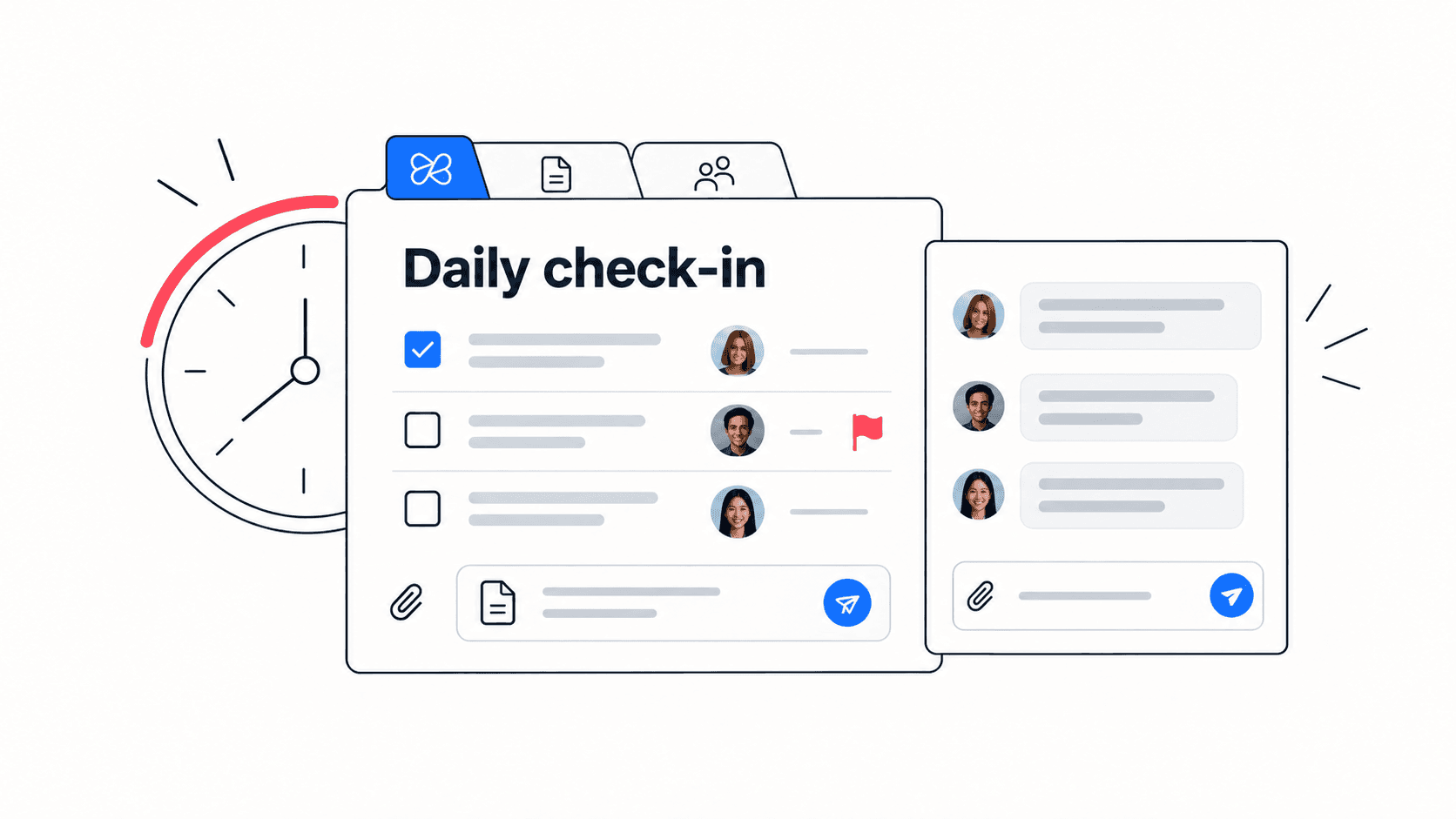
A daily standup meeting should make teamwork easier, not give everyone a recurring stage for status updates. When a remote team treats standup as a reporting ritual, people repeat what is already visible in the task board, blockers stay vague, and follow-up work gets lost after the call ends.
A better standup is short, specific, and action-oriented. It shows what changed, what needs attention today, what is blocked, and which decisions or follow-up tasks need an owner. This guide gives you a practical daily standup agenda, remote-friendly questions, examples, mistakes to avoid, and a simple way to connect standup notes to the rest of your work.
Quick takeaway: The best daily standup meeting is not a mini status meeting. It is a coordination checkpoint that turns blockers, risks, decisions, and promises into visible next steps.
What a daily standup meeting should actually do
The purpose of a daily standup is to help the team adjust the next day of work. It should not duplicate project reports, replace one-to-one coaching, or become a long problem-solving session. A useful standup gives each person enough context to coordinate without pulling everyone into every detail.
- Surface blockers before they quietly delay the sprint, project, or customer handoff.
- Clarify which work matters today and which work can wait.
- Spot dependencies between teammates before they become last-minute requests.
- Create fast follow-up tasks for decisions, risks, reviews, or missing information.
- Move deeper conversations into smaller threads or calls with only the people who need to be there.
If your team needs a broader project execution workspace, connect standup outcomes to Edworking’s project management solution so notes, owners, files, and decisions do not scatter across separate apps.
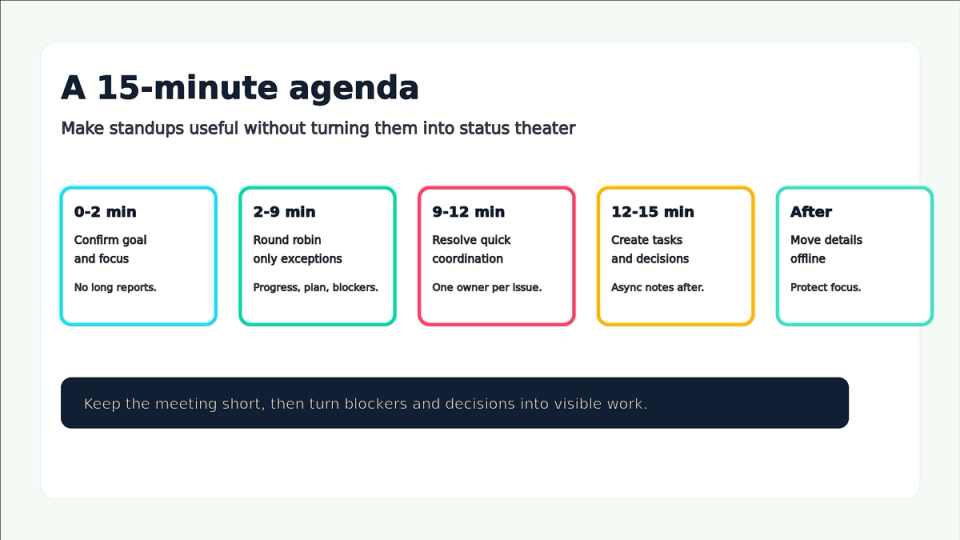
A practical 15-minute daily standup agenda
The agenda should be predictable enough that people prepare, but tight enough that the meeting does not become a default place for every discussion. Remote teams especially benefit from a written agenda because late joiners, async teammates, and cross-time-zone contributors can scan the same structure afterward.
- Minute 0 to 2: confirm the team goal, the active milestone, and any urgent change since the last update.
- Minute 2 to 9: ask each person for exceptions only: meaningful progress, today’s priority, blocker, dependency, or risk.
- Minute 9 to 12: identify quick coordination decisions that can be resolved immediately without dragging the whole group into detail.
- Minute 12 to 15: turn unresolved blockers into tasks, name owners, set follow-up channels, and confirm what moves offline.
- After the meeting: share notes, update tasks, and let Edworking Brain or a teammate summarize decisions for anyone who missed the call.
Decision rule: If a topic needs more than two minutes or only involves two people, capture the owner and move it out of the standup.
Daily standup questions that work for remote teams
The classic three questions are useful, but remote teams often need more precision. “What did you do yesterday?” can invite a diary. “What changed that affects the team?” invites coordination. The right question depends on whether the team is trying to understand progress, blockers, risk, or priority.
- Progress question: what changed since the last standup that the team should know?
- Priority question: what is the most important outcome you are moving today?
- Blocker question: what is stuck, waiting, unclear, or dependent on someone else?
- Risk question: what might slip if nothing changes in the next 24 hours?
- Decision question: what needs approval, clarification, or tradeoff discussion?
- Support question: who needs help after the standup, and who is the best person to help?
For async or distributed teams, pair this rhythm with an async collaboration workflow so teammates can contribute updates without waiting for the next call.
Standup format comparison
Not every team needs the same format. The format should match team size, time zones, project risk, and the maturity of the task board. Use this comparison as a structured decision aid rather than a fixed rule.
- Live video standup: best when the team is new, blockers are frequent, or work is tightly coupled. It gives fast alignment but can interrupt focus across time zones.
- Async written standup: best when teammates are distributed, the work is visible, and blockers can be escalated in threads. It protects focus but needs strong follow-through.
- Hybrid standup: best when the team posts written updates first and uses a short call only for blockers, risks, or decisions. It often works well for small remote teams.
- Manager-led status meeting: useful for reporting upward, but risky as a daily team habit because it can make teammates speak to the manager instead of coordinating with each other.
Mistake to avoid: Do not choose a live standup just because it feels more accountable. Accountability comes from visible work, named owners, and follow-up tasks, not from making everyone speak every morning.
Checklist for a better daily standup
Use this checklist when your standups feel too long, too vague, or too repetitive. The goal is not to add ceremony. The goal is to remove friction from the next workday.
- Is the meeting limited to 15 minutes or less for a small team?
- Does everyone know the active project goal or sprint outcome?
- Are updates tied to visible tasks, documents, files, or decisions?
- Are blockers captured as owned follow-up tasks instead of vague concerns?
- Are detailed discussions moved to smaller threads or calls?
- Are async teammates able to read and add updates before or after the meeting?
- Does the team review recurring blockers during retrospectives instead of repeating them every day?

Example: a remote product team standup
Imagine a seven-person remote product team preparing a billing update. Engineering has implementation tasks, design is finalizing copy, support needs release notes, and the founder wants confidence that the launch will not create customer confusion. A weak standup would ask everyone to describe yesterday in detail. A useful standup focuses only on coordination that changes today.
Example: The product lead opens with the launch goal and asks for exceptions. Engineering says the payment webhook is done, but QA is blocked by a missing test account. Design says the modal copy is ready but needs approval. Support says the help article draft needs screenshots. The team creates three follow-up tasks: create test account, approve modal copy, and capture screenshots. The rest of the technical discussion moves to a smaller thread.
- The standup produced three owned follow-up tasks, not a long conversation.
- The blocker was routed to the person who could solve it fastest.
- The approval need became visible before it delayed the release.
- The support dependency moved into the same workspace as the launch tasks and docs.
When standups reveal repeated process problems, use a project retrospective to fix the system instead of rehashing the same blocker every morning.
How to connect standups to tasks, docs, and AI summaries
The meeting is only useful if the output survives after people close the call. In many teams, the real failure is not the standup itself. It is the gap between what people say and what the team records, assigns, and follows up.
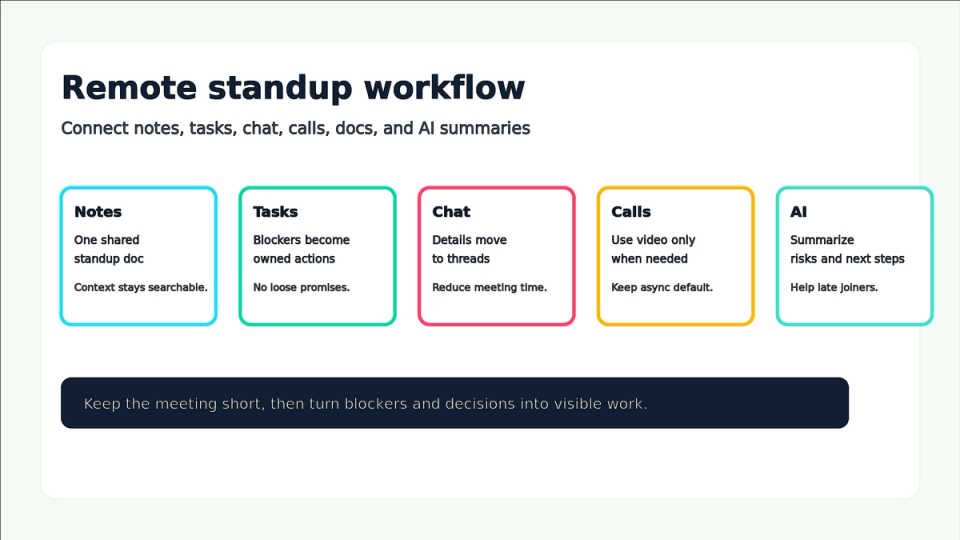
- Create one recurring standup doc or channel where updates follow the same structure every day.
- Convert blockers into tasks with owners, due dates, and links to the relevant work.
- Attach files, specs, designs, or customer notes to the task instead of dropping them into chat without context.
- Use chat threads for quick clarifications and video calls only when a blocker needs real-time discussion.
- Ask Edworking Brain to summarize standup notes into risks, owners, and next steps when the update is long or several teammates are async.
For teams setting up Edworking for the first time, start with Getting Started With Edworking and build one workspace where standup notes, tasks, docs, files, chat, and calls stay connected.
Common standup mistakes to avoid
Standups usually fail because the team keeps the meeting but loses the purpose. If the meeting becomes a daily habit with no visible output, people disengage and the same blockers repeat. Watch for these patterns.
- Mistake: asking for complete status reports. Better approach: ask for changes, blockers, priorities, and decisions that affect the team.
- Mistake: letting problem solving take over. Better approach: name the owner, capture the issue, and move deeper discussion offline.
- Mistake: ignoring async updates. Better approach: let teammates post updates before the meeting and use the call for exceptions only.
- Mistake: treating blockers as comments. Better approach: convert blockers into tasks or decisions with owners.
- Mistake: never improving the format. Better approach: review standup quality during retrospectives and change the rhythm when it stops helping.
If standup follow-up keeps slipping, a clear meeting notes template with action items can help the team turn discussion into trackable work.
FAQs
- Use time as a signal: longer meetings usually mean the format needs repair.
- Choose the format that creates clarity with the least interruption.
- The best manager contribution is often a clear next action or a removed obstacle.
- Use standups for daily coordination and retrospectives for system improvement.
Make standups visible, short, and useful
A daily standup meeting is valuable when it helps the team decide what to do next. Keep it short, ask questions that reveal coordination needs, move details out of the main call, and capture every meaningful blocker or decision as visible work.
Edworking helps remote teams keep that loop connected: standup notes in docs, follow-up work in tasks, clarifications in chat, deeper alignment in video calls, files beside the work, and AI summaries when the thread gets long. That is how a daily meeting becomes a practical execution habit instead of another calendar tax.
Next step: Pick one standup format for the next week, track how many blockers become owned tasks, and use that evidence to improve the rhythm.
For external context on Scrum events, see the Scrum Guide.
When standup decisions need a durable home, connect the meeting output to knowledge management for small teams so docs, tasks, decisions, and follow-up owners stay easy to find.