Download Mobile App


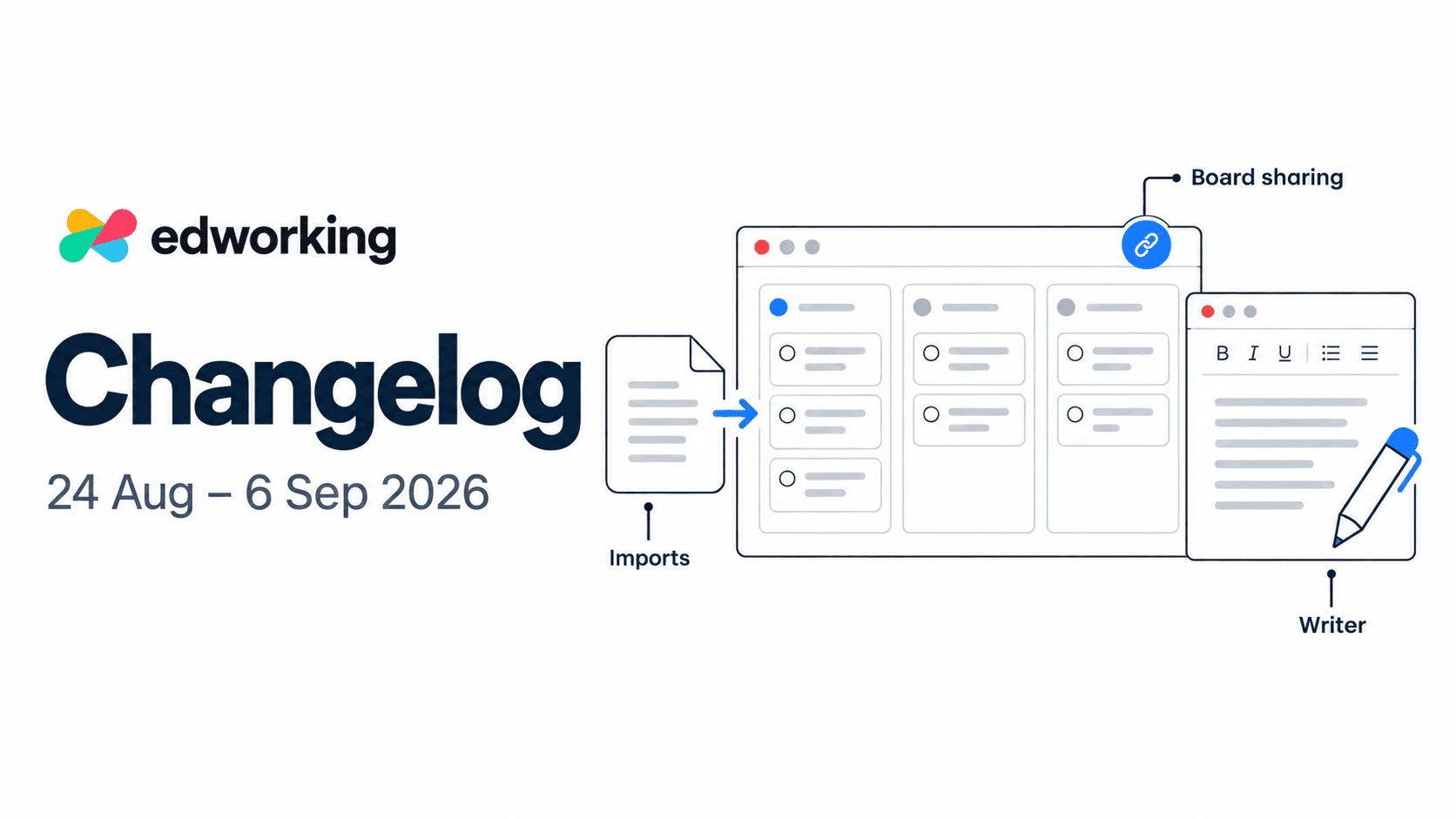
Imports, public board sharing, and Writer lead this fortnight’s update, alongside teammate profiles and improvements to everyday navigation. Here’s what changed on the web, plus the mobile fixes that reached testing during this period.
Bring your existing work into Edworking
Web · Improved imports
Moving tools should not mean rebuilding every task by hand. The import workflow now brings together export-based imports from Asana, ClickUp, Jira, Monday, Notion, and Trello. Choose your source, upload its supported export, review the content, and map assignees before confirming.
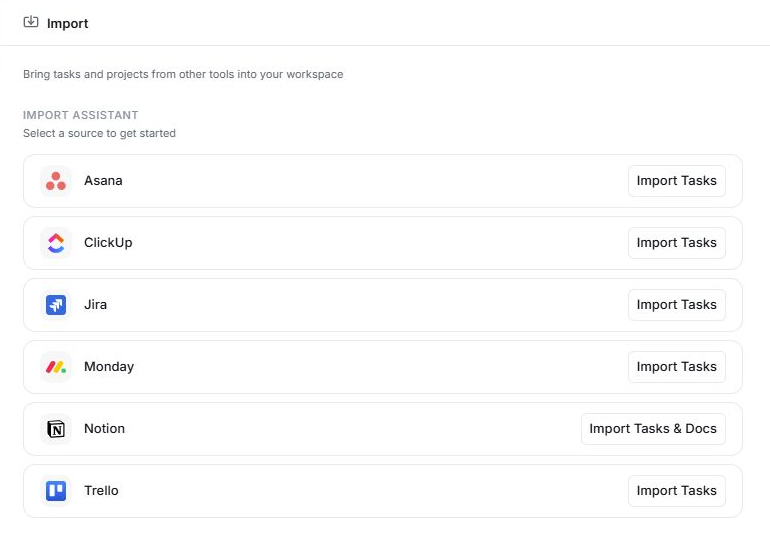
Notion imports also support documents alongside tasks. Upload an export ZIP and choose the destination space for the documents, with a review step that shows both task and document counts.
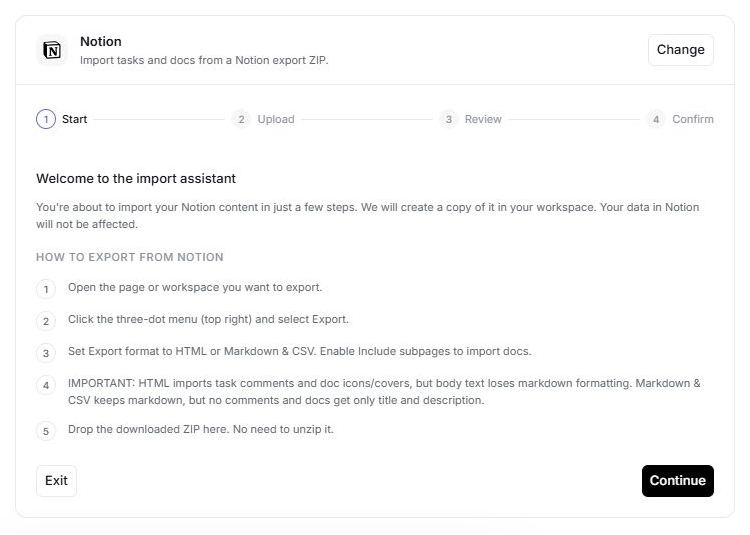
What comes across depends on the source and export format. For example, Asana CSV exports do not include comments or attachments, and authenticated Jira and Trello attachment links are not imported. For Notion, HTML and Markdown exports preserve different parts of the content; check the format guidance in the import wizard before exporting.
Start with one project, review its owners and content, then expand the import. Your original workspace remains unchanged.
Explore tasks in Edworking · Explore collaborative Docs
Share a board or an individual list
Web · New · Paid plans
Give a client or stakeholder a link to the work you want them to see. Public board sharing now lets you share an entire board or select individual lists through Advanced options. You can copy a link or an embed snippet for the shared view.
Open the board menu, choose the public-sharing option, and select what to share. A link indicator in the header helps you recognise shared lists while working.
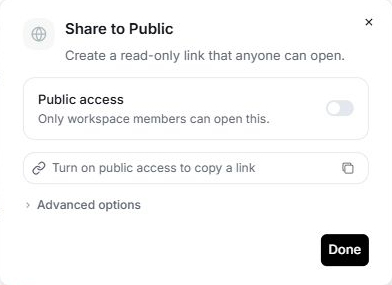
For a client delivery board, this gives you a way to share the relevant list without making every list public. Review the selected content before enabling public access.
Meet Writer, your team’s writing assistant
Web · New · Business plan
Writer helps turn working notes into clearer documents and drafts. Create a Writer from the Agents area, configure it for your team, and open its chat. You can also mention it by name where agent mentions are supported.
The writing tools include clearer wording, document structure, and summaries focused on key points, decisions, risks, open questions, or next steps. Writer also includes configuration for scheduled updates.
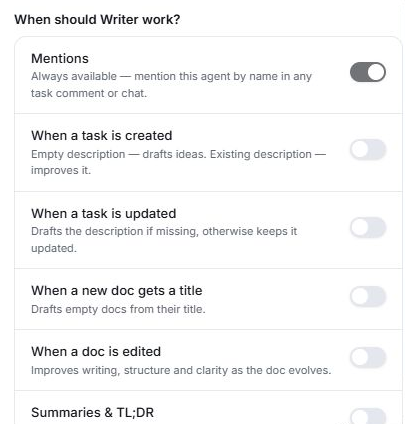
Try it with a project note: ask for a short summary of decisions and unresolved questions, then check the result against the source before sharing it with the team.

See more context about your teammates
Web · Improved profiles
Open a teammate’s profile from their avatar or name in supported chats, messages, and member lists. The profile panel brings Active tasks and Calendar into separate tabs, making it easier to find relevant work and scheduling context without leaving the conversation.
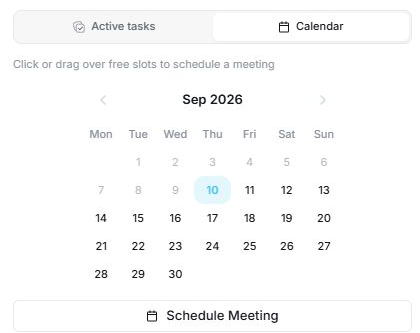
There is also a timezone selector in profile preferences. Set your timezone to keep your profile information useful when working across locations.
Less waiting around everyday work
Web · Improvements and fixes
This release reduces unnecessary loading during navigation and delays loading some meeting and template code until it is needed. Non-chat pages can start while private chats continue loading in the background.
Other improvements include:
- File previews stop obsolete spreadsheet downloads when a preview closes or changes.
- Task conversations refresh in the chat list after a message is sent.
- Deleted tags are filtered out of tag lists.
- Event guests who have not accepted an invitation can respond without editing event details.
- Loading placeholders and sidebar animation better respect reduced-motion preferences.
Mobile fixes in testing
iOS and Android · Testing builds during this period
The mobile work for this fortnight focuses on small interactions that matter during daily use:
- Open the file menu from attachments inside a task.
- Keep deleted tasks and subtasks out of active task views.
- Improve AI chat scrolling while responses stream, including when reading earlier messages.
- Avoid replaying the first sent-message animation when an AI conversation is created.
These changes reached successful TestFlight and Android internal-testing builds on 26 August. Those build records do not establish when each fix became available in the public app stores.
Try the updated workspace
Open Edworking to explore the web updates. If you are evaluating the platform, the interactive product demo introduces the workspace; individual new features may not yet appear in the demo.
For mobile installation options, visit Edworking downloads.