Download Mobile App


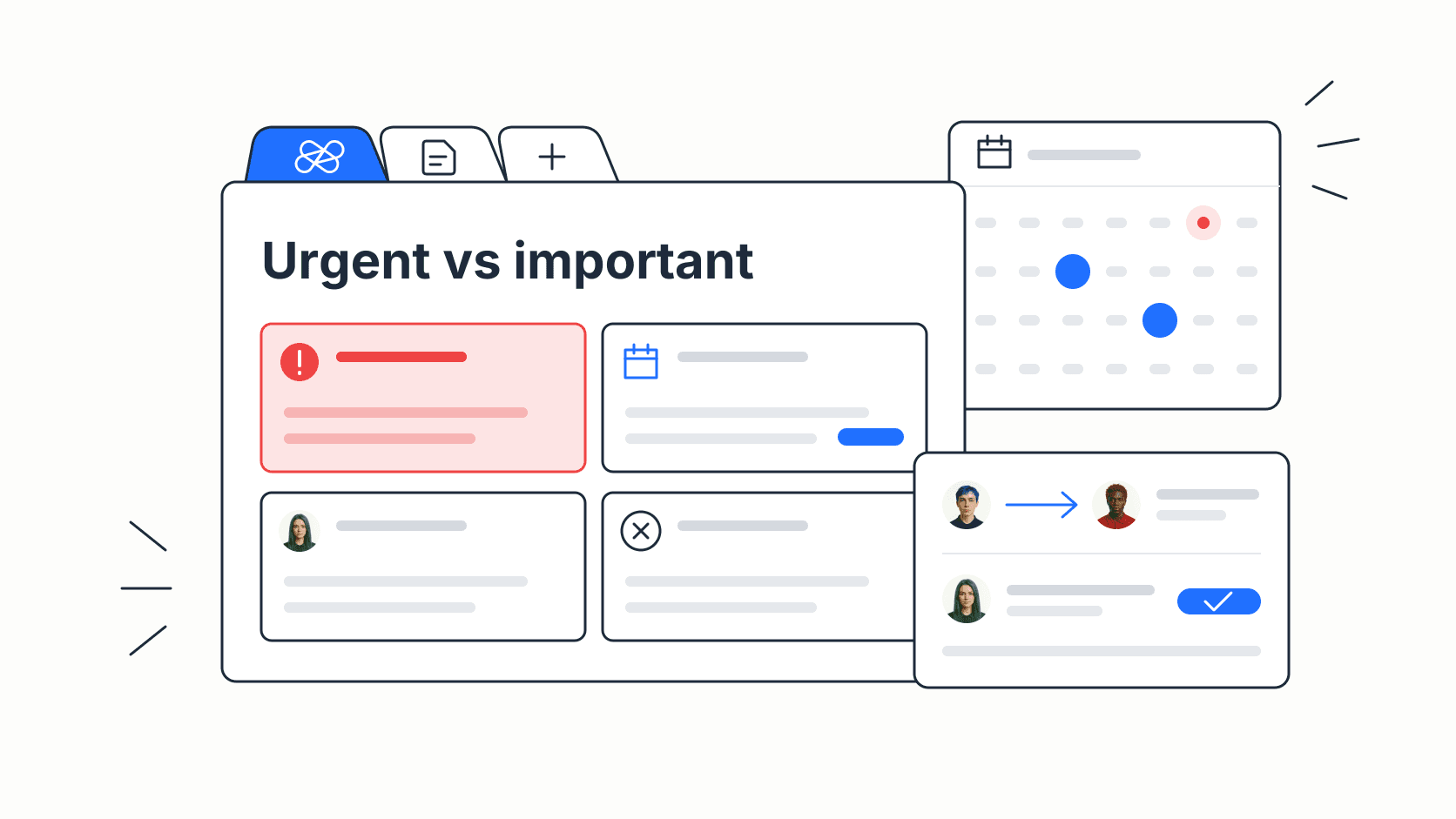
The Eisenhower Matrix is a 2x2 grid that sorts tasks by two questions: is it urgent, and is it important? Do the urgent and important work now, schedule the important work that is not urgent, delegate the urgent work that someone else can handle, and delete what is neither.
That is the whole method. The hard part is applying it honestly, especially in a team where one person's emergency is another person's distraction. This guide gives you the four quadrants, clear tests for urgent and important, a copyable template, a worked example from a small team's week, and the mistakes that make the matrix fail.
What the Eisenhower Matrix is
The matrix is named after Dwight D. Eisenhower. In a 1954 address in Evanston, Illinois, he quoted a former college president: "I have two kinds of problems, the urgent and the important. The urgent are not important, and the important are never urgent." Eisenhower never drew a grid. Stephen Covey turned the idea into the four-quadrant "time management matrix" in The 7 Habits of Highly Effective People (1989), and the name Eisenhower Matrix stuck.
The idea still matters because people reliably choose urgency over value. In a series of experiments published as The Mere Urgency Effect in the Journal of Consumer Research (2018), Meng Zhu, Yang Yang and Christopher Hsee found that participants picked tasks with a short deadline over tasks with a larger payoff, even when the deadline made no practical difference. The matrix is a simple counterweight: it forces you to name the payoff before the deadline decides for you.
The four quadrants
- Q1, Do: urgent and important. A real deadline or blocker with a real consequence. A customer-facing bug, a contract due tomorrow, a payroll error. Do it now, ideally yourself.
- Q2, Schedule: important, not urgent. Work that moves your goals but has no alarm attached: planning, documentation, hiring, fixing a recurring problem, learning. Put it on the calendar with a date and an owner.
- Q3, Delegate: urgent, not important to you. Requests with a deadline that do not need your judgment: routine approvals, booking a meeting room, forwarding a report. Hand them to the right person or automate them.
- Q4, Delete: neither urgent nor important. Status meetings without decisions, reports nobody reads, low-value tidying. Drop them, or batch them into a short weekly slot if you cannot drop them yet.
A healthy week spends most of its planned time in Q2. If Q1 is always full, that is a signal: the Q2 work that would prevent those fires is not getting done.
How to tell urgent from important
Most matrices fail because everything lands in Q1. Use explicit tests instead of gut feeling.
Urgent means waiting has a cost within your planning horizon (for example, this week). Ask:
- Is there a fixed date or a person blocked right now?
- If this waits a week, does something break, get more expensive or get lost?
If both answers are no, it is not urgent, however loudly it was asked for.
Important means it contributes to an agreed goal. Ask:
- Which goal, OKR or commitment does this move? Name it.
- Would the team or a customer notice in a month if this never happened?
If you cannot name the goal, it is not important for this cycle. Write the goal next to every task in Q1 and Q2. That one habit removes most false emergencies.
Eisenhower Matrix template
Copy this template into a document, a whiteboard or a task board with four columns. Fill it at the start of each week and review it on Friday.
Planning horizon: week of _____ Goal for this period: _____
Q1, Do now (urgent and important)
- Task / owner / deadline / goal it protects / done by
Q2, Schedule (important, not urgent)
- Task / owner / goal it moves / date on the calendar / first step
Q3, Delegate (urgent, not important for me)
- Task / delegated to / deadline / what "done" looks like / check-in date
Q4, Delete or batch (not urgent, not important)
- Task / decision (drop, batch, revisit in a month) / who needs to know
Weekly review questions
- How many hours went to Q1, and what Q2 work would have prevented them?
- Which Q2 items moved? Which slipped, and why?
- Did every delegated task have an owner and a deadline?
- What can be removed from Q4 for good?
Two rules keep the template useful. First, limit Q1 to about five items; if there are more, some of them are Q3 in disguise. Second, every Q2 item needs a date, or it will quietly become next week's Q1.

Worked example: a five-person startup team
Here is a fictional Monday sort for a product team of five: a founder, two engineers, a designer and an operations lead. Their goal for the month is to raise trial-to-paid conversion. The founder lists twelve items and runs each through the tests above.
Q1, Do
- Fix the bug that stops new users from inviting teammates (blocks trials today; owner: engineer, today).
- Send the signed data processing agreement to a customer in procurement (contract deadline Wednesday; owner: founder).
Q2, Schedule
- Redesign the onboarding checklist that new trials see (main lever for conversion; owner: designer, Tuesday and Thursday mornings).
- Write the help article for the invite flow so the same question stops reaching support (owner: operations lead, Wednesday).
- Interview three users who converted last month (owner: founder, Thursday).
- Add an alert so the invite bug cannot recur unnoticed (owner: engineer, Friday).
Q3, Delegate
- Renew the office internet contract (owner: operations lead, deadline Friday).
- Approve last week's expense reports (operations lead, with a spending limit agreed in advance).
- Reply to a partner asking for the logo files (designer, shares the brand folder).
Q4, Delete or batch
- Rebuild the internal metrics slide deck nobody has opened in a month (dropped).
- Compare three new note-taking apps (revisit next quarter).
- Weekly sync that repeats what the task board already shows (replaced by async updates).
The result: two items need immediate attention, four important items now have owners and calendar slots, three routine items left the founder's list, and one recurring meeting disappeared. Notice that the alert in Q2 exists because of the bug in Q1. Turning each fire into a preventive Q2 task is how the matrix shrinks Q1 over time.
Using the matrix as a team
The original matrix is personal. Teams need three additions.
- Agree on the goal first. Urgent and important only mean something relative to a shared goal and horizon. Write both at the top of the board.
- Sort from the team's point of view, then assign. "Delegate" in a team means "give it to the person for whom it is the right work", not "push it down". A routine approval can be Q3 for the founder and normal work for the operations lead.
- Check capacity before you schedule. Q2 fills up fast. Compare the scheduled hours with each person's real availability, as in this guide to team workload management, before committing.
In a task tool, the simplest setup is a board with four columns named Do, Schedule, Delegate and Delete, or a tag per quadrant on your existing tasks. Each card gets an owner and a due date. If your team already plans in a shared workspace, such as the task management setup for startups in Edworking, adding a quadrant label is often enough; you do not need a separate app.
Common mistakes
- Marking everything Q1. Apply the two urgency questions strictly. Loud is not the same as urgent.
- Leaving Q2 without dates. Important work without a calendar slot loses to every interruption.
- Delegating without a definition of done. A Q3 task needs an owner, a deadline and an outcome, or it comes back as Q1.
- Confusing Q4 with "never". Some Q4 items matter later. Park them with a revisit date instead of keeping them on today's list.
- Sorting once and forgetting. Priorities change. Re-sort weekly and whenever a new request arrives that would displace planned work.
Eisenhower Matrix vs other prioritization methods
The matrix answers "what do I do with this item now?" It is quick and works for a person or a small team's week. It does not rank items inside a quadrant.
- The MoSCoW method (Must, Should, Could, Won't) is better for agreeing scope on a release or project with stakeholders.
- A scoring model, like this startup priority scorecard, is better when several important items compete for the same capacity and you need to compare them.
- Time blocking and other techniques in this time management guide are how you protect the Q2 slots once you have chosen them.
A practical combination: sort the week with the Eisenhower Matrix, rank Q2 with a score when it is overloaded, and block the time on the calendar.
Next steps
- Copy the template and write this week's goal at the top.
- List every open task and request, then apply the two urgency and two importance questions to each.
- Give every Q2 item a date and an owner, and every Q3 item a person and a definition of done.
- On Friday, count the hours that went to Q1 and turn the biggest fire into a Q2 task for next week.
Run it for three weeks. If Q1 is shrinking and Q2 items are getting done, the matrix is working.